5 Best Business Card Design Tools for Small Businesses and Entrepreneurs in 2026
Traditional paper business cards are effective if you want to make a lasting impression. They can help people remember your business, especially if they’re well-designed.
You can create high-quality business cards even without professional design experience using an online business card maker. One of the best options is Design.com with its huge template library, editing features, and branding ecosystem. Other platforms include BrandCrowd, Canva, VistaPrint, and MOO.
To know more about them, this guide compares all five platforms based on what matters when creating a business card — templates, customization, printing options, and cost.
Quick Comparison
Here's a quick comparison of the five platforms and what each offers.
|
Tool |
Best for |
Free option |
Print ordering |
Standout feature |
|
Design.com |
All-in-one branding |
Free templates and downloads |
Yes, 250 to 5,000 cards |
50+ design tools and a website builder option |
|
BrandCrowd |
Logo-led cards |
Free templates available |
Yes, 250 to 5,000 cards |
Industry-specific layouts for businesses and professionals |
|
Canva |
Flexible free design |
Free templates and editing |
Yes, through Canva Print |
Large template library and free editor |
|
VistaPrint |
Fast design-to-print |
Free design tools; printing costs extra |
Yes |
Order straight from the editor |
|
MOO |
Premium paper and finishes |
Online design tools; printing is paid |
Yes |
Luxe stock, foil and Soft Touch finishes |
How We Evaluated These Tools
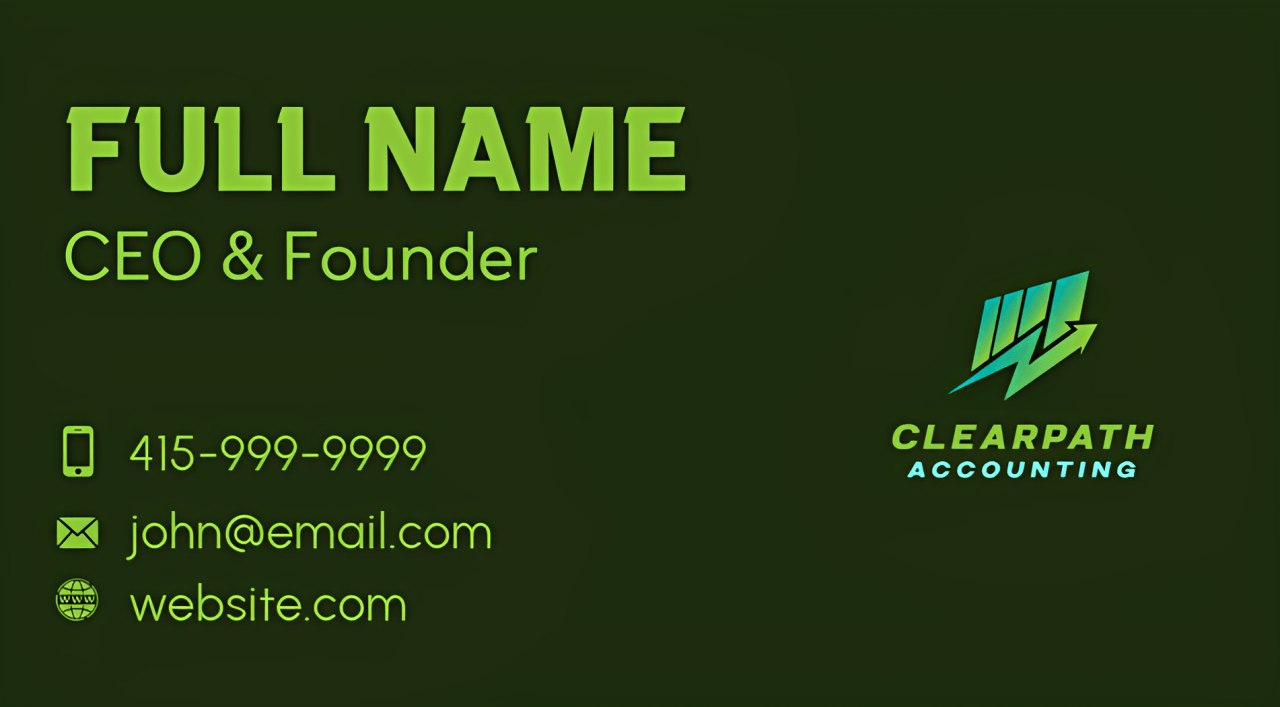
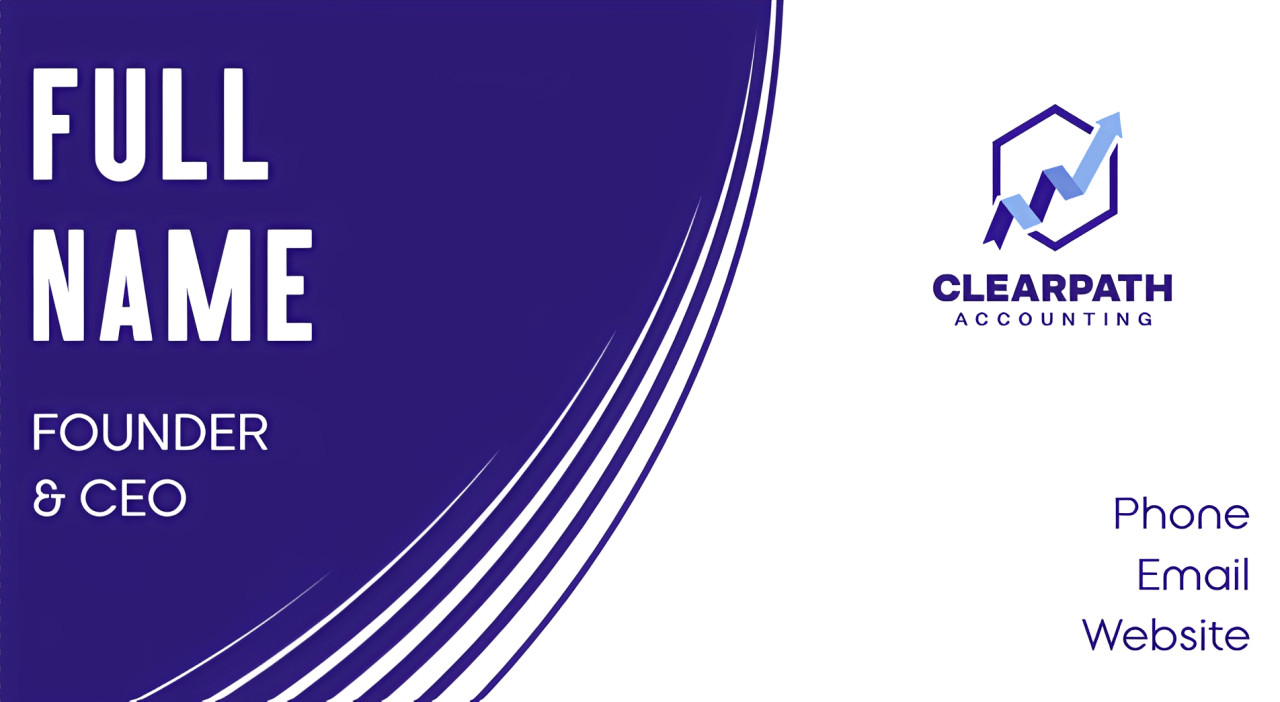
To see how the five business card makers work in practice, we explored their processes. For tools with AI design generation, we used ClearPath Accounting, a fictional accounting firm, to create sample cards featuring a name, job title, phone number, email address, website, and simple logo.
We focused on five criteria:
- Design options and customization
- Branding capabilities
- Download formats and file availability
- Printing options and finishes
- Pricing and free features
1. Design.com — Best for All-in-One Branding
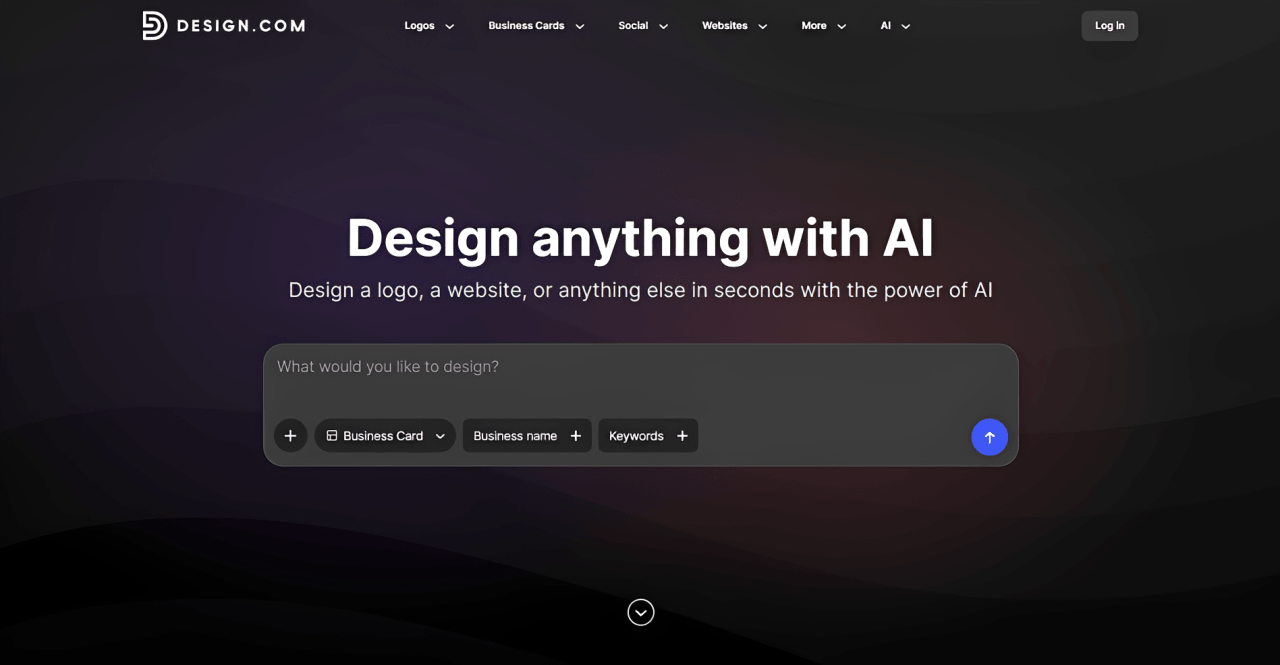
Best for: Entrepreneurs, startups, and freelancers who want professional business cards that match their wider branding.
Design.com’s business card maker simplifies the business card design process with AI, customizable layouts, and automatic branding. With over 20,000 professionally designed templates, there’s a wide selection of styles for different industries.
How it works: Start with a prompt that mentions your business name and description. The platform’s AI instantly generates multiple options. For ClearPath Accounting, you can explore these generated designs and choose one that fits the firm's professional image. Here are some examples:
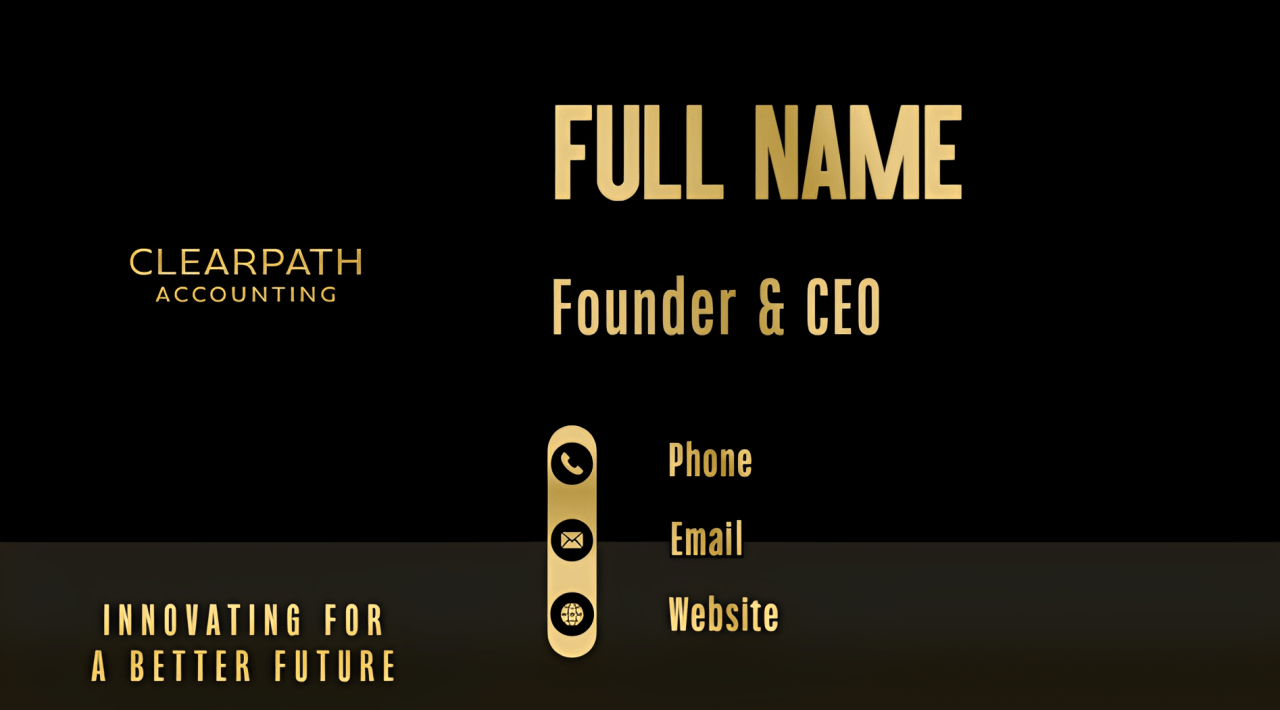
Once you have picked a design, you can edit it. You can also upload your own logo if you already have one, and the editor automatically applies its design to the card. After that, you can download the files or order printed copies.
Standout features:
- 20,000+ professionally designed business card templates.
- Drag-and-drop editor to customize the text, colors, layouts, and other elements.
- Automatic logo color matching and coordinated branding materials.
- High-resolution PNG and JPG downloads, plus SVG, EPS, and PDF vector files.
- Professional printing in quantities of 250–5,000 cards, with customizable layouts, corners, finishes, and free worldwide shipping.
Pricing: Free templates are available to customize and download. Paid plans start at $6/month billed annually or $9/month billed monthly, with unlimited edits and downloads, premium files, and access to additional branding tools.
Verdict: Design.com is a practical choice if you're building a business identity from the ground up. You can create your card, coordinate it with other branded materials, and order printed copies within the same platform.
2. BrandCrowd — Best for Logo-Matched Business Cards
Best for: Entrepreneurs and freelancers who want to start from a logo and build the rest of the brand around it.
BrandCrowd lets you create professional cards with just your business name. It offers 3,000+ professionally designed business card templates across different industries, making it a practical option for freelancers, startups, and small business owners.
How it works: Enter your business name and relevant keywords, and BrandCrowd generates business card designs to choose from. You can also upload an existing logo if you already have one. Once you've selected a design, you can customize the text, colors, layout, and icons before downloading the finished card. Here are some sample designs created for ClearPath Accounting:
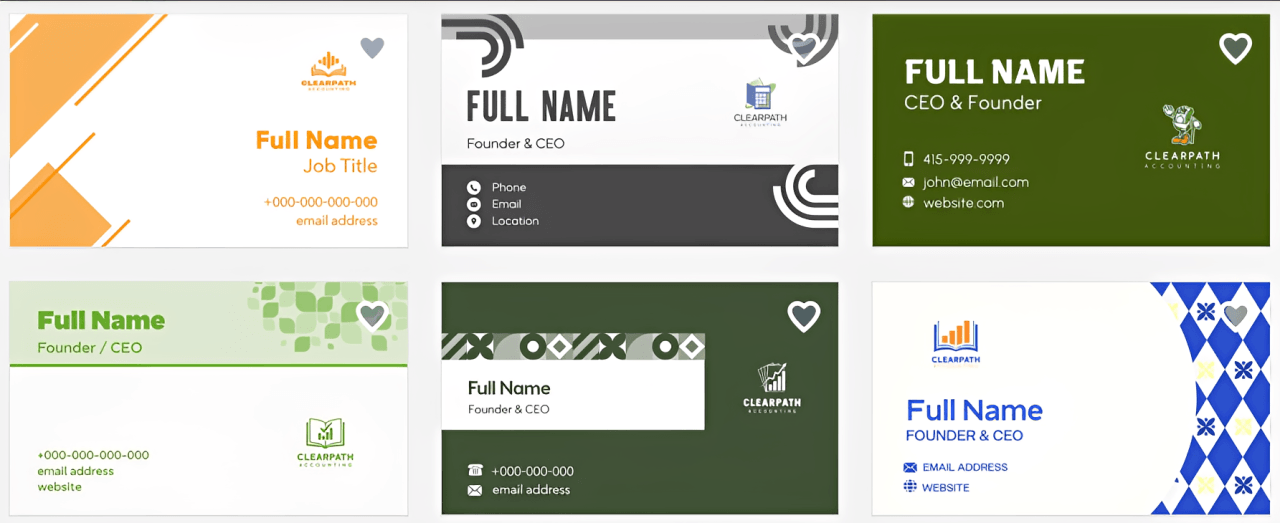
Standout features:
- 3,000+ industry-specific business card templates to choose from.
- Access to 50+ design tools and 579,000+ templates for creating logos, websites, and marketing materials.
- Print-ready downloads in SVG, EPS, and PDF formats, with physical printing options and free worldwide shipping.
Pricing: Free templates are available, and you can create designs at no cost. Premium plan costs $3/month billed annually.
Verdict: Choose BrandCrowd if you want an affordable plan and a card that follows your logo, with a website option if you need one later.
3. Canva — Best for Flexible Design Customization
Best for: Beginners and do-it-yourself business owners who already use Canva for other designs.
Canva is a widely used design platform with an extensive collection of business card templates for different industries and styles. It’s known for its drag-and-drop editor, which gives you plenty of freedom to create designs that reflect your preferences.
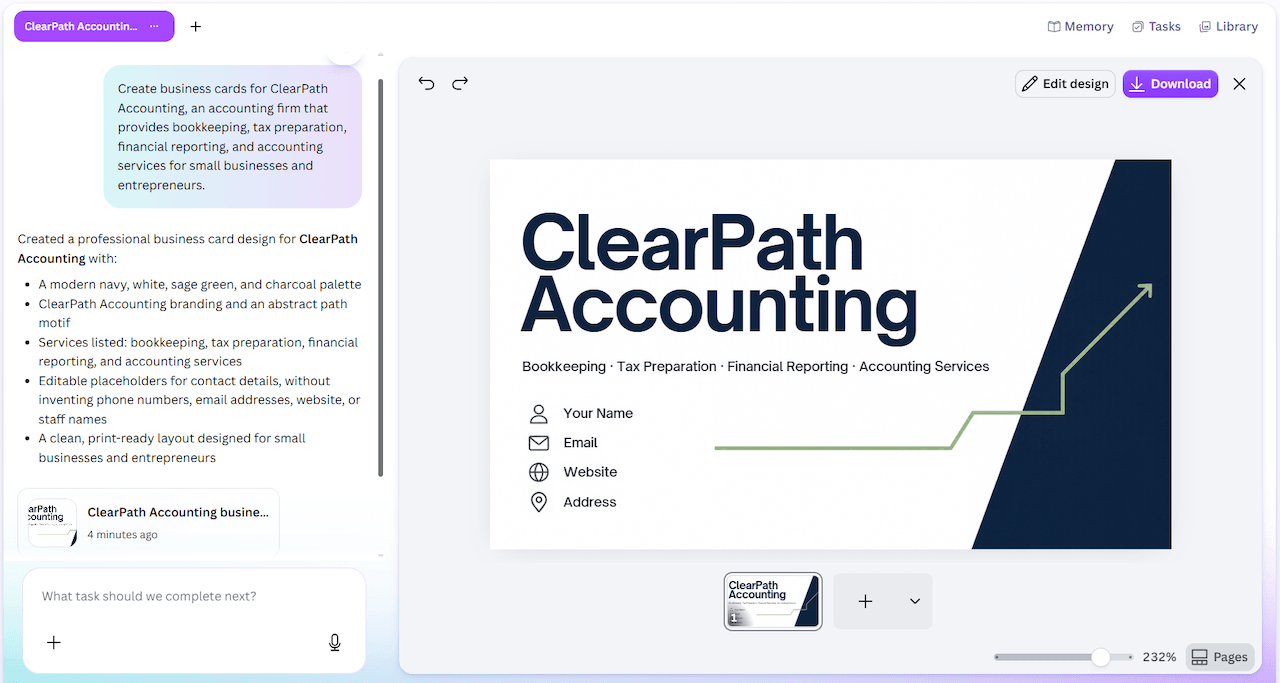
How it works: You can start from a template, a blank card, or Canva AI. For ClearPath Accounting, we used Canva AI to create the sample designs shown below. You can then edit the generated design in the editor.
Standout features:
- Thousands of customizable business card templates.
- Free downloads in PDF, PNG, and JPG formats.
- Direct printing through Canva Print, with free standard shipping on eligible orders.
Pricing: Canva Free includes templates, editing tools, PDF, PNG, and JPG downloads, and up to 20 AI uses per month. Canva Pro costs $18/month or $12/month billed annually ($144/year). Print orders are charged separately.
Verdict: Choose Canva if you want maximum design freedom and you already know the editor.
4. VistaPrint — Best for Fast Design-to-Print
Best for: Small business owners who want to design and order in one place and reorder later.
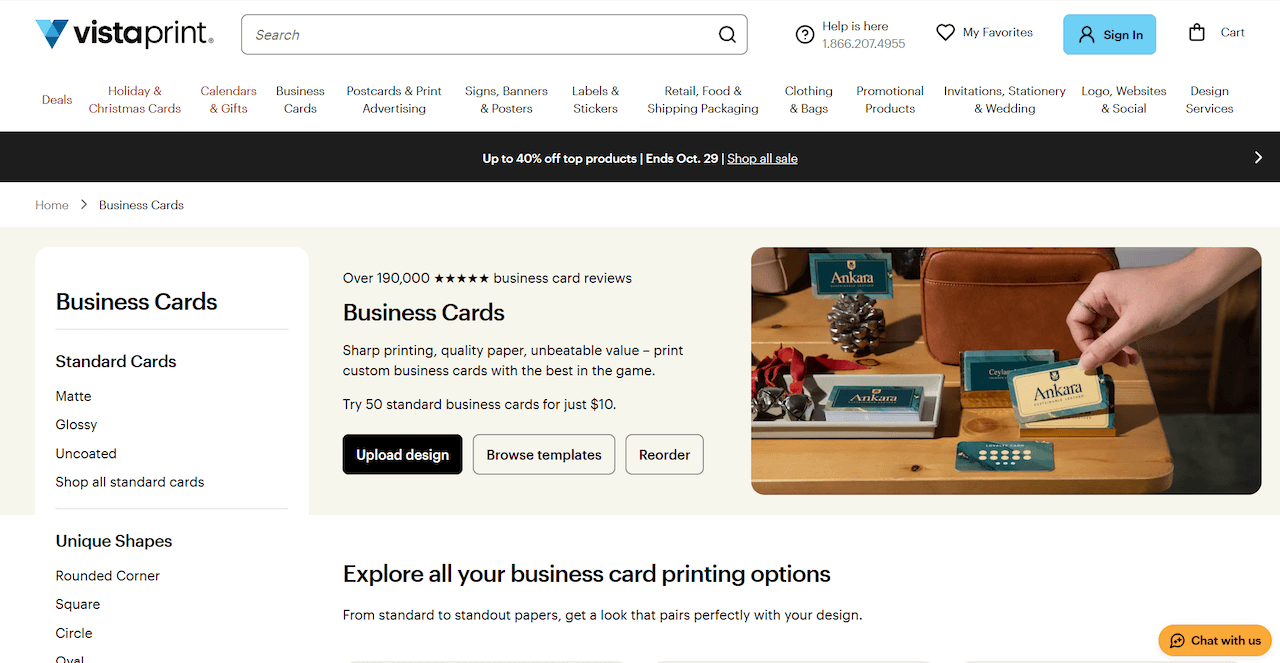
VistaPrint combines online design tools with professional printing services. It offers professionally designed templates for different industries, but you can also upload your own artwork if you already have a finished business card design.
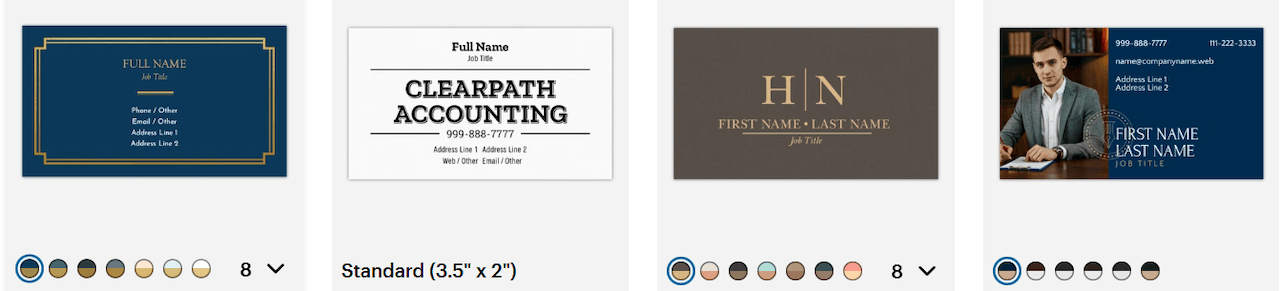
How it works: Choose a business card template by industry, style, or color, or upload your own design. Then, add your business details, logo, images, and QR codes, and adjust fonts, colors, and layout. Once you're satisfied with the design, preview the card, select your preferred paper and finish, and place a print order.
Standout features:
- Template browsing by industry, style, color, and use case.
- Multiple paper stocks, specialty finishes, and card shapes.
- 3D design previews, professional printing, and fast delivery options.
Pricing: VistaPrint's online design tools are free to use, but printing costs extra. Standard business cards start at $10 for 50 cards. Professional design services are also available for an additional fee.
Verdict: Choose VistaPrint when speed and easy reordering matter more than detailed design control.
5. MOO — Best for Premium Business Cards
Best for: Consultants, creatives, and premium brands that want a card people keep.
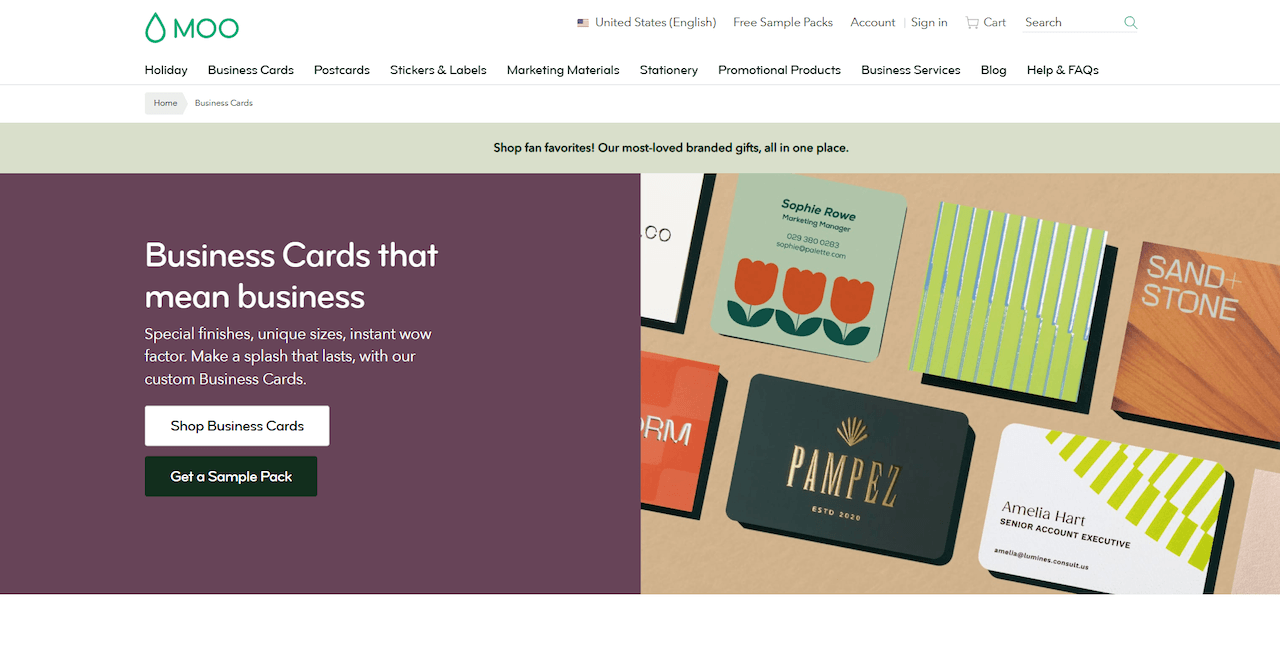
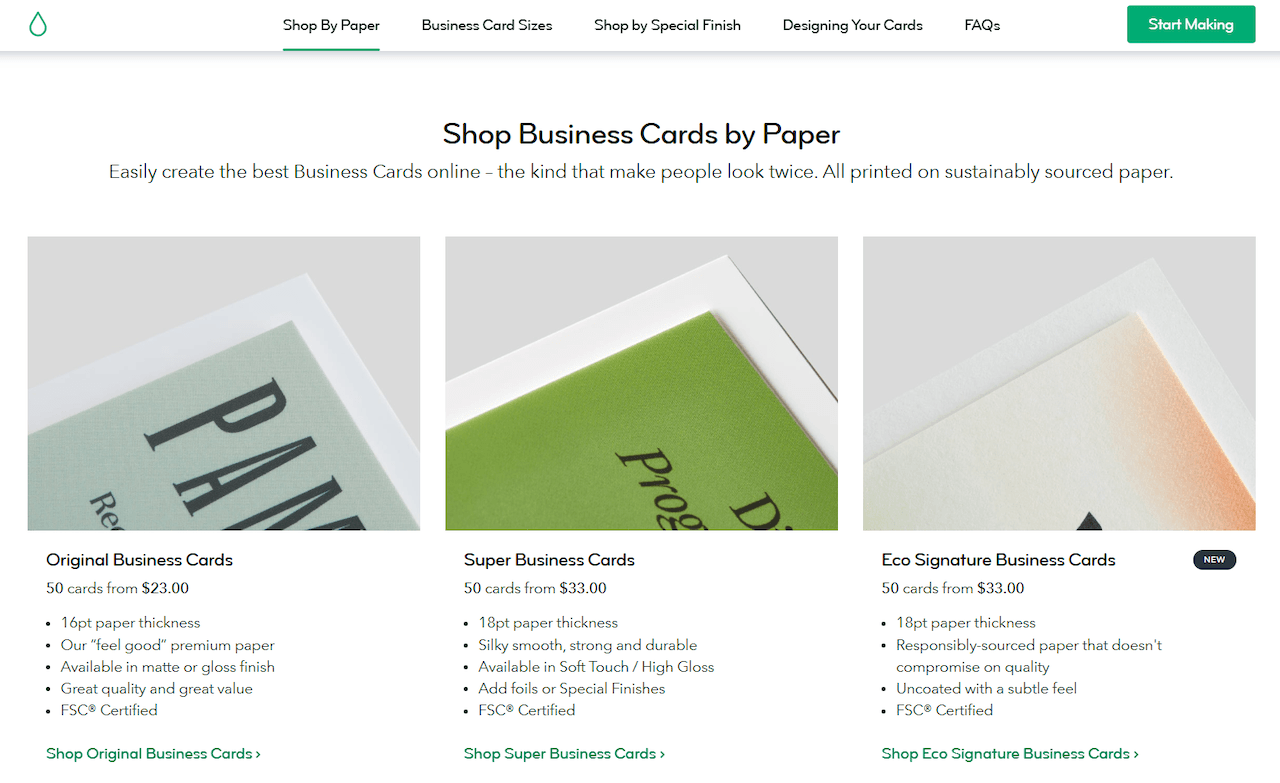
MOO is a printing and design platform known for its premium business cards, with a strong focus on paper quality, texture, and finishes. It offers a range of card sizes and materials, making it a good option for businesses that want something more distinctive.
How it works: Choose your preferred paper stock, card size, or special finish, then specify the quantity you want to order. You also have the choice to customize one of MOO's templates, upload your logo, or upload a finished business card design.
Standout features:
- Four paper stocks: Original, Cotton, Super, and Luxe, including extra-thick cards with colored seams.
- Multiple finishes, including Matte, Gloss, Soft Touch, Gold Foil, Silver Foil, and Spot Gloss, depending on the card type.
- Standard, square, and mini business card sizes, with Printfinity for multiple designs in one pack.
Pricing: Original business cards start at $22 for 50 cards, while Luxe cards start at $41 for 50 cards in the US. Prices vary depending on paper stock, finish, quantity, and region.
Verdict: Choose MOO if you want a premium card in your hand more than you want a low price.
How to Choose the Right Business Card Design Tool
The right platform depends on your design needs, budget, and whether you plan to print your cards. Here are four factors to consider:
- Design flexibility: Choose a tool that lets you customize fonts, colors, layouts, and graphics to match your preferences.
- Brand consistency: Look for features that help your business cards match your logo, website, and other marketing materials.
- Download and printing options: Check for print-ready file formats, paper stocks, finishes, minimum order quantities, and delivery options.
- Pricing and free access: Compare what's included for free, what requires a subscription, and how much printing costs.
Final Thoughts
A professional business card should make your business recognizable, clearly communicate essential details, and reflect the identity you want customers to remember.
For small businesses and entrepreneurs who want a consistent brand presence, Design.com is a practical starting point. Its business card maker works alongside other branding tools within the platform, so you can develop a recognizable visual identity as your business grows.
With free design options and professional printing available, you can choose an approach that suits your needs and budget.