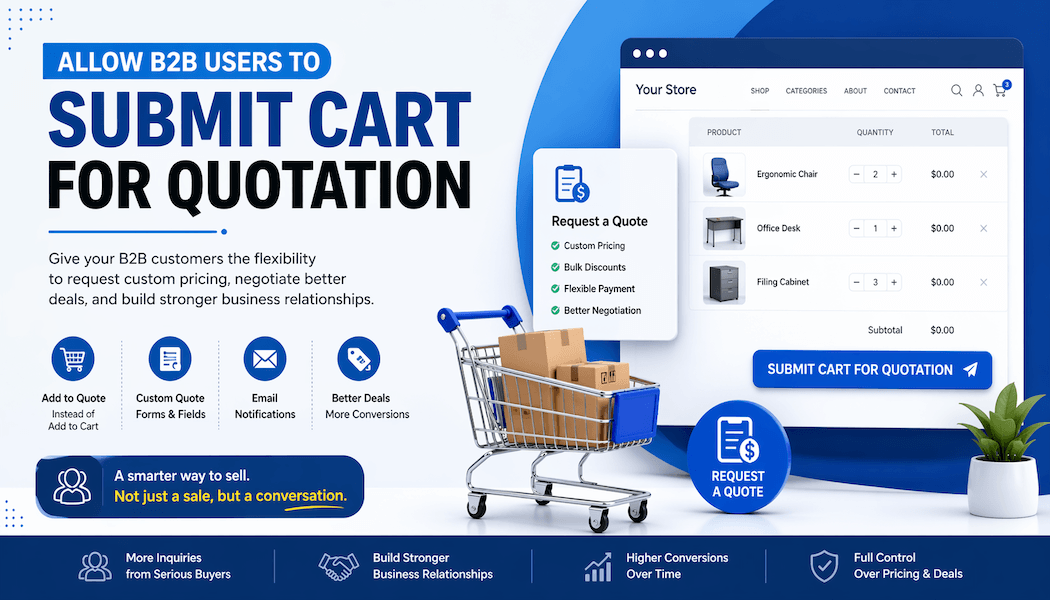
Allow B2B Users to Submit Cart for Quotation
What if your B2B customers could skip fixed pricing and just ask, “What’s your best price?”
It happens all the time. A buyer lands on your store. Adds a few products. Then stops. Hesitates. Leaves. Why? Because B2B buyers don’t always want to buy instantly. They want to talk. To negotiate. To feel like they’re getting a deal. That’s where things change.
Instead of forcing a checkout, imagine letting them submit their cart like a request. Simple. Clean. Human. Not just a transaction but a conversation starter.
That’s exactly what tools like the WooCommerce Advanced Request a Quote plugin try to solve. They turn a rigid store into something more flexible. More real-world.
Why B2B Stores Need a Quote-Based System
B2B is not B2C. Never was. Never will be. Pricing is messy. Orders are big. Decisions take time. Think about a wholesale buyer. He’s not buying one item. He’s buying 500. Maybe 5,000. Do you really expect him just to click “Buy Now”? Not likely. Here’s what usually happens instead:
- He wants a discount
- He wants custom shipping
- He wants payment flexibility
Sometimes he just wants to feel heard. A quote system fixes that gap. It says: “Tell us what you need. We’ll figure it out.” Short. Direct. Effective.
What Does “Submit Cart for Quotation” Mean?
Let’s keep it simple. No jargon. A customer adds products. Just like normal. But instead of checkout, they hit a different button. Something like:
- “Request a Quote”
- “Ask for Pricing”
And that’s it. The cart becomes a message. Inside that message:
- Products they want
- Quantities
- Maybe a note “Need bulk discount”
Now you step in. You respond. You negotiate. It feels less like eCommerce. More like real business.
Key Features of a WooCommerce Quote System
1. Add to Quote Button
This is where it begins. That small button. Looks simple, but changes everything. Instead of “Add to Cart”. You show:
- Add to Quote
- Request Pricing
Small shift. Big impact.
2. Hide Prices
Sometimes showing the price is a mistake. Why? Because:
- Prices vary
- Deals change
- Discounts depend on volume
So, you hide it. Let them ask instead.
3. Quote Cart Functionality
This part feels familiar. Like a normal cart. But it’s not. Customers can:
- Add multiple items
- Edit quantities
- Remove products
But no checkout. Only submission.
4. Custom Quote Forms
Now things get interesting. You can ask:
- Company name
- Budget range
- Special requirements
Not too much, though. Keep it light. People hate long forms.
5. Email Notifications
Once they hit submit. Notification sent.
- You get the request
- They get confirmation
Simple flow. No confusion.
Benefits of Allowing Cart-Based Quotations
Let’s be honest. Fixed pricing scares people away sometimes. Especially in B2B. But when you allow quotes, things open up. Here’s what changes:
- More inquiries - People who were unsure now reach out
- Better leads - These are not random visitors. They’re serious buyers
- Flexible pricing - You control the deal. Not the price tag
- Relationship building - It’s not just selling. It’s connecting
Conversions go up, too. Not always instantly, but over time.
How WooCommerce Supports B2B Quotation Workflows
WooCommerce wasn’t built for this. Not originally. It’s more plug-and-play retail. Fixed prices. Fast checkout. Done. But with the right setup, it changes. You can:
- Replace cart with quote cart
- Show the quote button only for certain users
- Hide prices for guests
- Allow both checkout and quote requests
Flexible. Very flexible. And honestly, that’s what B2B needs.
Implementing a Quote System Step-by-Step
Let’s walk through it. Not too technical. Just the idea.
Step 1: Install a Quote Plugin
Pick something reliable. Something tested. You don’t want bugs here. This is your sales pipeline.
Step 2: Configure Quote Settings
Now tweak things:
- Button text
- Who can see it
- Which products allow quotes
Take your time here. Small settings matter.
Step 3: Customize the User Interface
Make it feel natural. Not like a weird extra feature. But part of the store.
Step 4: Enable Cart Submission
This is the core. Let users:
- Add items
- Review them
- Submit easily
No friction. None.
Step 5: Manage Quotes Efficiently
Now comes your part. Check requests. Respond fast. Negotiate smart because delay kills deals.
Use Cases for B2B Quote Systems
Not every business is the same. But many need this.
Wholesale Businesses
Bulk orders. Always changing prices. Quotes make perfect sense here.
Manufacturing & Custom Products
Every order is different. Size. Material. Specs. No fixed price can handle that.
Service-Based Products
Services aren’t products. They need discussion. Scope. Agreement. Quotes help structure that.
International Trade
Shipping alone can change everything. Different countries. Different taxes. Fixed pricing? Doesn’t work.
Enhancing the Customer Journey
Let’s talk experience. Because this is where most stores fail. A quote system should feel smooth. Not clunky. Things that help:
- Instant updates - No page reloads. Fast interactions
- Sidebar quote view - Users see their list anytime
- Clear buttons - No confusion between cart and quote
- Minimal steps - The fewer clicks, the better
Think of it like this. If it feels complicated, users leave. Simple as that.
Best Practices for B2B Quote Optimization
Some things just work better. Learned the hard way.
- Keep forms short
- Respond quickly
- Be clear with pricing
- Follow up if needed
Don’t overcomplicate the process. Seriously. The goal is simple: make it easy to ask. Easy to respond. Easy to close.
Challenges and How to Overcome Them
Nothing is perfect. Quote systems have issues, too.
Too Many Requests
Sometimes you get flooded. Solution?
- Filter requests
- Prioritize serious buyers
Pricing Confusion
Customers may not understand how pricing works. Fix it by:
- Explaining clearly
- Giving ranges when possible
User Confusion
Some users won’t get it at first. So, guide them:
- Add short instructions
- Use clear labels
It’s small stuff. But it matters.
Why Request a Quote is Essential for B2B
This isn’t just a feature. It’s a mindset shift. WooCommerce Request a Quote changes how selling works. Instead of: “Here’s the price. Take it or leave it.” It becomes: “Tell us what you need. Let’s figure it out.” That feels better—more human. B2B is always human at the core.
Future of B2B eCommerce with Quotation Systems
Things are changing fast. Faster than expected. Quote systems are evolving, too. We’re seeing:
- Automated pricing suggestions
- CRM integrations
- Real-time negotiations
- Smarter workflows
Soon, maybe even AI-driven quotes. Sounds complex. But the idea stays the same. Flexibility wins. Always.
Conclusion
B2B buyers don’t want rigid systems. They don’t want fixed prices all the time. They want options. Conversations. Control. Allowing users to submit their cart for quotation gives them that. It removes pressure. Builds trust. Opens doors. And yes, it increases sales too. But not just sales. Better sales.
If you’re running a B2B WooCommerce store and still relying only on standard checkout, you’re missing something big. Something important. A quote system isn’t just an upgrade. It’s a shift in how business is done—a simple idea. Powerful impact.