Best Salesforce Testing Tools: How to Compare Them
Choosing the best Salesforce testing tools used to be simple. This means that the team grabbed Selenium, created some scripts, and called it done. That worked fine when applications were simple, and releases were occasional.
That strategy is no longer practicable. Salesforce provides multiple major releases every year. Lightning Web Components generate dynamic IDs with each page workload. Shadow DOM bounds completely prohibit conventional CSS selectors.
Additionally, the environment includes custom objects, validation rules, permission sets, and third-party connectors. None of them is well supported by typical web testing tools. Teams that manage large regression suites report spending more time fixing broken locators than writing new tests. That is the real cost of selecting the wrong tool.
This guide makes the selection process easier. It explains what Salesforce testing tools are and which ones address platform-specific challenges. It will also cover how to make a decision that will last beyond the next release.
What Are Salesforce Testing Tools?
Salesforce testing tools are software platforms that automate the validation of Salesforce applications. They check that customizations, workflows, integrations, and configurations behave correctly after every change. Unlike general web testing tools, they deal with the platform's specific architecture.
That means handling Salesforce's metadata layer objects, fields, and relationships, not just UI elements. It navigates Lightning Web Component Shadow DOM boundaries that block standard CSS selectors. They manage multi-factor authentication, dynamic element IDs, and asynchronous component rendering.
Salesforce requires sufficient code coverage before any deployment. This alone makes systematic automated testing non-negotiable for any team shipping regularly. Testing tools generally fall into AI-powered and traditional tools. AI-powered tools create and maintain tests using natural language, or AI agents, and self-healing handles locator failures automatically.
Which Salesforce Testing Tools Are Worth Using?
There are multiple options, but most of them fall apart on Salesforce's specifics. The ones below have been evaluated against strict requirements. They handle Lightning components, survive seasonal releases without full rewrites, and fit into a real CI/CD workflow.
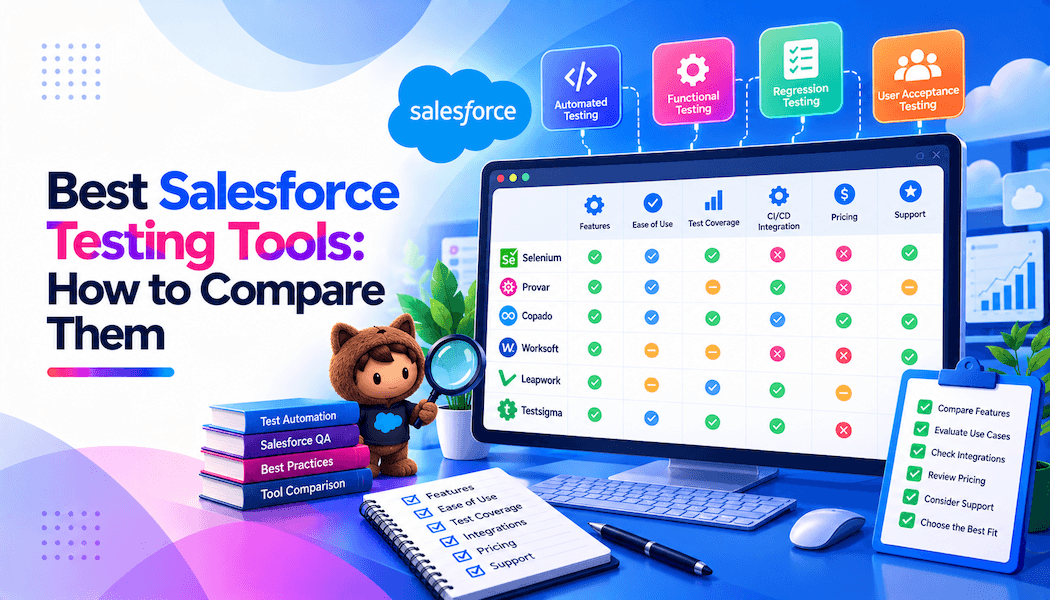
We will review these tools based on their features, maintenance requirements, Salesforce compatibility, and overall testing efficiency.
- TestMu AI
- Panaya
- Provar
- Opkey
- Autify
- Selenium
- Worksoft Certify
TestMu AI- Best for AI-Native Teams
TestMu AI (formerly known as LambdaTest) is an AI-native quality engineering platform. It helps Salesforce teams address testing challenges that are difficult to manage with standard Selenium frameworks alone.
The platform brings test authoring, execution infrastructure, visual regression, and failure analysis under one roof. Its cloud infrastructure provides access to more than 3,000 and 10,000+ real devices, making it easier to validate Salesforce experiences.
KaneAI, its generative AI agent, strengthens AI Salesforce testing by allowing teams to build automated tests through natural language prompts. Describe the flow, and KaneAI generates a working script that can be exported directly to Selenium or Playwright. When the Salesforce UI shifts after a release, auto-healing locators detect broken selectors and fix them without anyone having to open a ticket.
On the execution side, HyperExecute, TestMu AI's execution engine, can perform tests up to 70% quicker than traditional automation grids. HyperExecute auto-splits test suites and runs them across parallel containers. Cutting a 90-minute run down to around 12 minutes without manual configuration.
Features
- KaneAI crosses Lightning Web Component boundaries natively. No JavaScript executors needed.
- Uses Salesforce metadata to identify elements. IDs changing between page loads do not break tests.
- After each seasonal release, KaneAI detects broken locators and corrects them before the next run.
- It works along with browsers and real devices, eliminating the network latency that delays remote Selenium Grid deployments.
- SmartUI handles visual regression by comparing screenshots between builds and filtering rendering noise.
- Accepts Jira tickets, PDFs, audio files, spreadsheets, and images as test case inputs.
- Exports generated tests to Selenium or Playwright for teams that need framework portability.
Panaya- Best for Reducing Deployment Risks
Panaya for Salesforce is an AI-powered Intelligence platform to accelerate testing, eliminate deployment risks, and manage updates for Salesforce applications. It enables creating better tests faster using codeless, recorder-based authoring to customize with Apex and JavaScript when needed.
Features
- Validate workflows across APIs, databases, emails, and web apps, all in a single test case.
- Visualize and optimize the end-to-end development process with Value Stream Maps and DevOps performance metrics.
- Send clear certification reports that let testers know when they’re ready to push Salesforce updates to production.
Provar- Best for Salesforce-Only Orgs With Compliance Needs
Provar is a Salesforce testing tool that lets testers run tests with dynamic, real-world datasets. It references Salesforce metadata objects, fields, and relationships directly, not UI selectors.
A locator in Provar is bound to a Salesforce field API name, not a CSS path that changes when Lightning updates its render cycle. Provar promises test builds that are 90% faster and maintenance that is 80% lower.
Features
- Built-in API and SOQL testing without needing Postman or separate tools.
- Minimize test maintenance through metadata awareness using the tool
- Verify records, assert values, or manage test data with precision and speed
- Integrates with Jenkins and ANT for CI/CD pipeline execution.
Opkey- Best for Multi-Application Enterprise
OpKey is a no-code test automation tool for Salesforce that enables quick and easy certification of all Salesforce updates. Its eight-point Salesforce object identification catches elements that standard recorders miss, particularly in complex Lightning pages with nested components.
With Opkey, testers can streamline their Salesforce patch and platform updates without having to maintain scripts manually. It enables Salesforce admins to run regression tests with every app change.
Features
- Over 200 Salesforce-specific keywords in its metadata-driven recorder.
- Generates impact reports for every Salesforce seasonal update automatically.
- Build end-to-end tests with the QEditor script view or directly in VS Code for ultimate technical control.
- Runs tests up to 8x faster using cloud virtual machines.
Autify- Best for End-to-End Salesforce Workflow
Autify is a test automation tool for Salesforce testing. It is well-suited for organizations running full end-to-end workflows, lead creation through opportunity, and maintenance reduction matter a lot. As Salesforce powers critical functions, from CRM to bespoke enterprise apps, robust testing becomes essential. That’s why Salesforce testing tools like Autify are key to delivering fast, reliable releases.
Key features
- Automate the testing of customizations made to Salesforce apps so they function as expected.
- Test integrations between Salesforce and other systems for superior data flow and app functionality.
- Run parallel tests with cloneable robots for faster feedback and debugging.
- Leverage its AI and ML capabilities to re-identify elements based on a set of locator rules and heuristics.
Selenium- Best for Engineering-Led Teams Needing Full Control
Selenium is an open-source browser automation framework that many teams use for Salesforce UI testing. Tests rely on DOM selectors, XPath, or CSS, which break when Lightning's dynamic IDs change between page loads. Despite this challenge, many large Salesforce orgs use it for Apex API validation and backend testing, where the UI is not involved.
Features
- Supports Java, Python, and JavaScript for test scripting.
- Provides complete control over test scripts, reporting, and execution environments.
- Manage dynamic components in Salesforce Lightning UI with ease.
- Ensure faster testing of complex data sets, improving data quality.
Worksoft Certify- Best for Cross-ERP Process
Worksoft Certify is a codeless, model-based platform for enterprise teams testing Salesforce alongside SAP, Oracle, or Workday. With Worksoft, testers don’t need to be coders to decode Salesforce test automation.
It finds the dynamic elements in Salesforce’s UI, so they don’t have to. The tool spins all the tests up on the Cloud provider testers work with or through local machines or remote computers.
Features
- Model-based components are reused across different test scenarios and modules.
- Verify that data is updated or synchronized between Salesforce and other platforms, systems, and databases.
- AI-based duplicate detection finds overlapping processes in the test library.
How Do You Choose the Right Salesforce Testing Tool?
Choosing a Salesforce testing tool is not about picking the one with the most features. It is about finding the one that fits what the team actually does every day and what breaks the releases. Before choosing, you must evaluate these first.
- Does It Understand Salesforce's Platform?
The first question is whether the tool understands Salesforce at all. Generic browser automation frameworks treat every web app the same way. Tools with native Salesforce support or AI-powered locator strategies handle this more reliably.
They produce fewer flaky tests and require less custom code to manage platform quirks. For orgs with heavy Lightning customization, this distinction matters more than any feature checklist.
- What Is Your Release Frequency?
Shipping every two weeks is a different problem than shipping monthly. Fast cycles expose locator failures quickly. Manual repair work becomes a real bottleneck. If you release weekly or bi-weekly, self-healing automation isn't optional anymore.
KaneAI or Opkey fits this pace well. Monthly or quarterly releases give testers more flexibility to maintain test suites. Provar's metadata-driven model holds up nicely here. Teams with variable or mixed schedules need a blended approach. Pair KaneAI for regression with Selenium for backend API checks.
- Does Your Team Know How To Script?
Most QA teams are a mix of skill levels. Some engineers know Java or Python well. Others are QA analysts who've never touched a locator. If your team scripts confidently, Selenium gives them full control. Teams get real architectural flexibility and custom logic.
Mixed or non-technical teams need something different. KaneAI, Opkey, or Leapwork removes the scripting barrier entirely. Even Salesforce admins can own test coverage directly. KaneAI's natural language authoring lets them write tests alone.
- Is This a Salesforce-Only Or Multi-System?
Single-platform organizations face very different challenges from multi-system enterprises. If you're Salesforce-only, Provar's metadata-native design is excellent.
Opkey and Worksoft Certify both handle that cross-system coverage well. Salesforce, paired with custom web apps, needs flexibility too. KaneAI covers both on a single testing platform.
- What Does The Current DevOps Stack Look Like?
Tools that don't fit the pipeline slow everything down. They create constant context-switching during releases. If you're on Jira or Azure DevOps, KaneAI fits right in. It builds directly into the existing tracker. Bug tickets are filed automatically straight from test failures. Jenkins and ANT users have solid options too.
Provar and Selenium both work seamlessly with that configuration. Docker and GitHub Actions need to be searched for somewhere. Selenium and Hercules (TestZeus) both perform well in containers.
- How Fast Does It Execute?
Test suite size grows over time. A tool that runs a few tests quickly but may struggle when it grows. Parallel execution across cloud infrastructure is what separates fast feedback from slow feedback at scale. HyperExecute's auto-splitting distributes tests intelligently, cutting end-to-end run time without requiring teams to configure parallel tasks.
On-premise execution setups introduce maintenance overhead. Cloud-native execution removes it. For teams running tests before every deployment, execution speed directly affects how often they can release.
Conclusion
Salesforce keeps getting more complex. Three releases a year, expanding Lightning coverage, and deeper customizations mean the maintenance burden on traditional frameworks keeps growing. Picking a tool that handles this is a core part of the QA strategy.
For most teams dealing with regular breakages after seasonal releases, KaneAI by TestMu AI addresses the right issues, heals itself after UI changes, and runs at scale across 10,000+ real devices through HyperExecute.
Match the tool to what the team actually deals with. The right choice is the one that reduces repair cycles, not the one with the longest feature list.