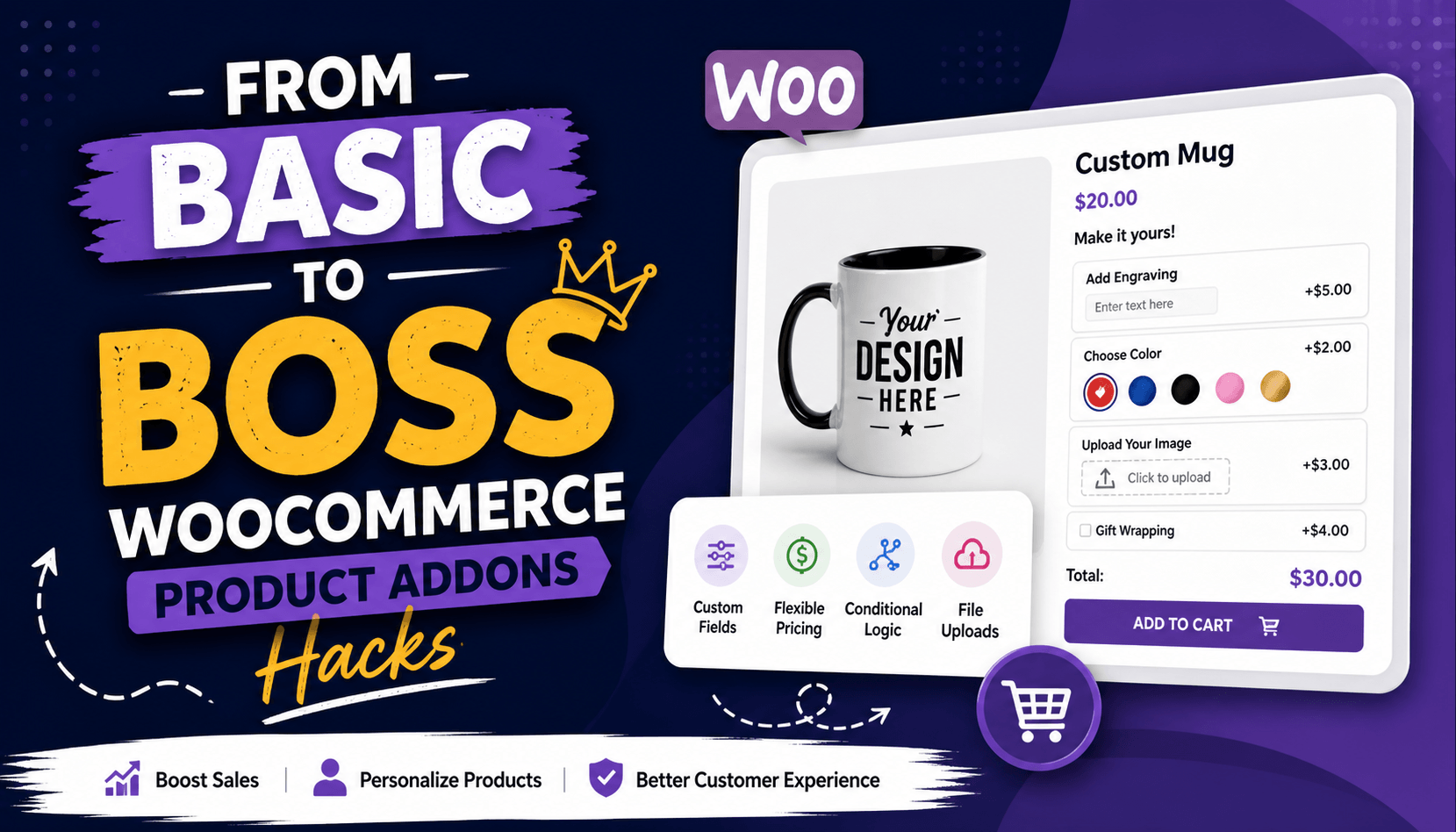
From Basic to Boss: WooCommerce Product Addons Hacks
Hey there, fellow store owner! If you're running a WooCommerce shop and want to turn simple products into cash cows, let's talk about YayExtra Pro - WooCommerce Extra Product Options Pro. This powerhouse plugin lets you slap on custom fields like engraving text, color swatches, file uploads for custom designs, or even delivery date pickers right on your product pages. It's dead simple to set up create option sets, tweak prices (fixed or percentage), add conditional logic so fields show only when needed, and blast them across categories or specific items. I've used it to boost average order values by 30% on client sites because customers love personalizing, and it feels native without bloating your checkout. Whether you're selling t-shirts, jewelry, or cakes, YayExtra Pro takes "extra" to pro level without the coding headache.
Why Addons Matter for Your Store
Product addons aren't just bells and whistles, they're your secret weapon for standing out in a crowded market. Basic WooCommerce handles variations like sizes or colors fine, but what about "Add gift wrapping for $5?" or "Upload your photo for printing"? Addons let customers tweak products on the fly, which screams personalization and jacks up perceived value.
Think about it: a plain $20 mug sells okay, but offers "Engrave a name (+$10)" and suddenly it's a $30 gift people can't resist. Stats show personalized products convert 20% better, and addons make that happen without custom dev work. The boss moves? Use them to upsell subtly – no pushy popups, just seamless options that feel essential.
Picking the Right Addon Strategy
Start with your audience. Selling custom cakes? Prioritize text fields and image uploads. Tech gadgets? Go for checkboxes like "Extended warranty" or radio buttons for bundles. Map out high-margin addons first – things that cost you pennies but charge $5-15.
Hack #1: Bundle smartly. Don't overload with 20 options; group them into 3-5 logical sets. Use conditional logic (like in YayExtra Pro) so "Gift wrap" only shows if they pick "Ship to someone else." This keeps pages clean and boosts completion rates.
Hack #2: Price psychology. Set add-on prices at 10-25% of base cost feels like a steal. Test fixed vs. percentage (e.g., 15% of mug price for engraving). Track in WooCommerce analytics to see what sticks.
Setting Up Your First Killer Addon Group
Fire up your dashboard and channel your inner boss. Head to WooCommerce YayExtra (or your plugin of choice). Create a new "Option Set" called "Personalization Pack."
- Add a text field: "Enter custom message" – $3 fee.
- Drop in color swatches: Red, Blue, Gold – each $2 extra.
- Checkbox: "Rush delivery" – $10, shown only if stock allows.
Assign to "Mugs" category. Boom preview on a product page. Tweak styling via CSS if needed (e.g., match your theme's fonts). Pro tip: Enable AJAX so prices update live without page refresh. Customers hate surprises at checkout.
Test on a staging site first. Add a real order through incognito mode. If it feels clunky, simplify – boss-level UX is invisible.
Advanced Hacks to Crush Competition
Ready to level up? Here's where you go from basic to boss.
Hack #3: Dynamic pricing tiers. Link addons to cart quantity. Two mugs? Half-off engraving. Use snippets or plugin hooks if YayExtra lacks it native, a quick functions.php add does the trick:
PHP
add_filter('yayextra_price', function($price, $option) {
    $cart_qty = WC()->cart->get_cart_contents_count();
    if ($cart_qty > 1) $price *= 0.8;
    return $price;
});
Hack #4: File uploads with validation. Customers upload blurry pics? Set size limits (2MB), formats (PNG/JPG), and auto-thumbnails. Pair with the "Proof approval" checkbox for $5 turns one-off sales into repeat business.
Hack #5: Time-sensitive addons. Date/time pickers for "Pickup tomorrow?" Integrate with inventory hide if sold out. For events, add "Seating preference" dropdowns that feed into order notes.
Hack #6: Cross-sells via addons. Instead of "Frequently bought together," make "Matching case +$15" a radio option. Increases AOV without extra plugins.
Visual and UX Boss Moves
Nobody buys from ugly pages. Style addons like they belong.
- Swatches over boring buttons: Use images for fabrics/leathers converts 40% better visually.
- Progress indicators: For multi-step customizers, add a "Step 2/3: Add message" bar.
- Mobile-first: Stack vertically on phones; test with Google's Mobile-Friendly tool.
Hack #7: A/B test everything. Duplicate products, swap addon layouts (horizontal vs. vertical), track with Google Analytics goals. I once flipped a store from $2K to $5K/month by testing swatch vs. dropdown.
Common Pitfalls and Fixes
Bosses anticipate problems.
- Overloading checkout: Limit to 5 addons max; use summaries.
- SEO hits: Addons don't hurt if structured use schema markup for custom fields.
- Abandonment: Free previews (e.g., "See mockup") before addons.
- Conflicts: Deactivate other option plugins; YayExtra plays nice with most themes.
Hack #8: Email follow-ups. Capture addon data in order meta, trigger "Your custom mug is printing!" emails. Builds loyalty.
Measuring and Scaling Success
Track these KPIs weekly:
- Addon uptake rate (aim 25%+)
- AOV lift (target 15-30%)
- Cart abandonment drop
Use MonsterInsights or Wicked Reports for addon-specific tracking. Once humming, scale: Clone sets for new categories, automate with Zapier (e.g., upload to Printful).
Hack #9: Seasonal twists. Swap "Gift wrap" for "Halloween engraving" via scheduled posts.
Real-World Wins
One coffee shop client added "Roast level + beans" AOV up 28%. A jewelry store's "Chain length + engraving" combo tripled custom sales. Your store's next.
Your Action Plan
- Install YayExtra Pro today.
- Build one addon set for top seller.
- Live test 3 orders.
- Tweak based on data.
- Roll out store-wide.
You've got the hacks now boss up that store. Questions? Drop 'em below. Let's make those sales rain!