How Human-Led AI Music Workflows Improve Creative Experiment Design for Teams
Creative tools often make generation look like the whole experience: enter a prompt, press a button, and receive an impressive result. For designers, the more important question begins after that moment. Can a user understand what shaped the output, compare alternatives, and make a purposeful next move?
An ai song generator offers a useful case study because musical output is subjective, time-based, and difficult to judge from a thumbnail. A strong workflow must help users translate intention into controls, listen to a specific question, and return to an earlier decision without losing the thread of the experiment.

Creative Control Needs Visible Decision Points
Music generation combines several layers of intent: subject, lyric, mood, genre, voice, tempo, and structure. If an interface hides all of that behind one prompt, it may feel simple at first but become frustrating when the result is close rather than correct. Users need to know which decisions are available and which are being inferred.
AI Song separates Simple and Custom modes and exposes fields such as Title, Styles, Moods, Voices, Tempos, and Lyrics. That division creates progressive disclosure: a beginner can start with a description, while a lyric-led creator can work more deliberately. The design lesson is not to show every parameter immediately, but to reveal control when it corresponds to a question the user can understand.
Design Each Generation as an Experiment
1. Give the User a Testable Hypothesis
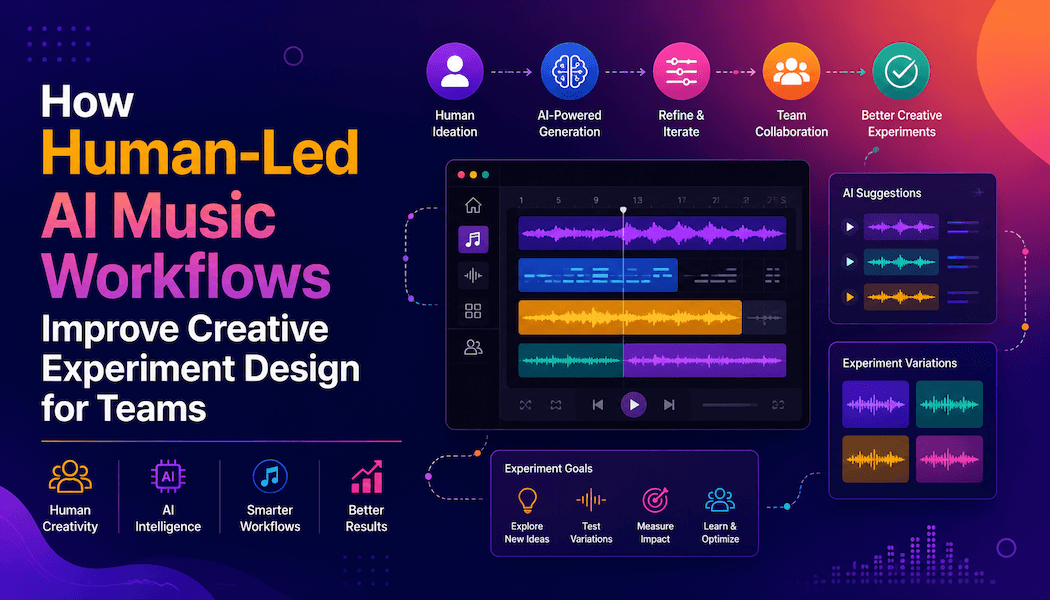
Before generation, the interface or surrounding workflow should encourage a sentence such as, “This version tests whether a slower tempo gives the chorus more emotional space.” That statement turns prompting into an experiment rather than a lottery. It also protects the user from changing voice, mood, instrumentation, and structure simultaneously, which produces differences that are exciting but difficult to learn from. A lightweight hypothesis field could later become the version label, preserving the reason for the test without asking the user to document the same thought twice.
2. Make Alternatives Easy to Compare
A useful comparison preserves context. Users should be able to hear variants without reconstructing which prompt, lyric, or model produced each one. AI Song’s Regenerate action is relevant here because it allows another interpretation of a setup, while its music library keeps generated work available for later review. The strongest product experience would make the tested difference legible and keep playback transitions quick enough that auditory memory remains reliable. Synchronized play positions would make chorus-to-chorus comparisons especially useful, while a clear reset action would prevent an accidental edit from contaminating the baseline.
3. Turn the Result Into the Next Action
Generation should end with choices that reflect real creative work: revise the brief, reuse the styles and lyrics, edit details, separate elements, add a track, or extend the composition. A generic “try again” button hides the reason for iteration. By contrast, contextual actions help the user say what is wrong with the current version. The interface becomes a map of creative decisions rather than a slot machine with better graphics. It should also distinguish destructive changes from reversible branches, so experimentation feels safe and the user can revisit a promising earlier state. A visible history can show which branch became the current candidate without implying that every abandoned version was a mistake. That framing supports exploration while still helping teams converge on an intentional shared direction.
Time-Based Media Changes Interface Priorities
A visual design can often be scanned in seconds, but a song unfolds. Users need playback state, duration, version identity, and easy movement between comparable moments. If they must hunt through cards or restart every track from the beginning, the cost of evaluation grows quickly and the quality of judgment falls.
Designers should also plan for interrupted listening. A clear title, concise tags, and a preserved generation setup help users return after a meeting or device change. These details may look secondary beside the generator, yet they determine whether an experimental session becomes reusable knowledge or a pile of anonymous audio.
Support Handoffs Beyond the Generator
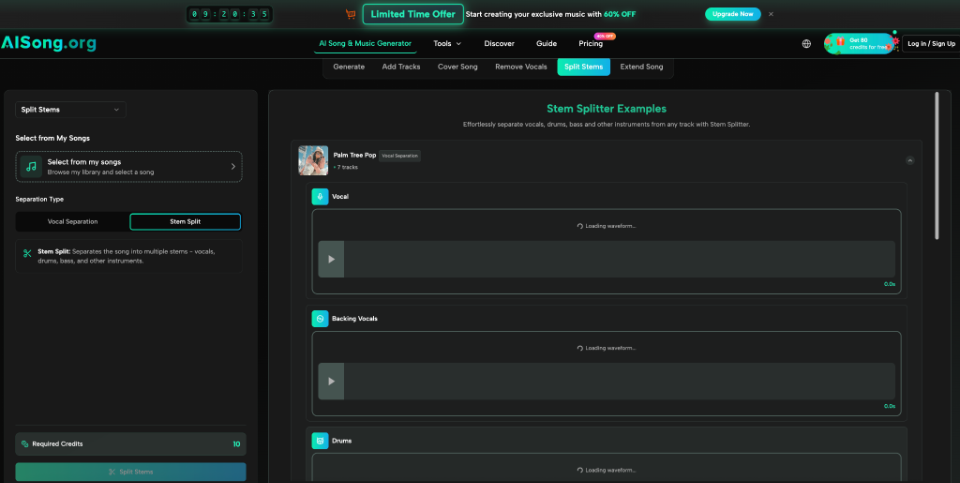
An ai song may become a podcast cue, campaign sketch, game-scene reference, or demo for a musician. The product should therefore help users understand what leaves the workspace. AI Song lists MP3 and WAV downloads across its paid plans and offers follow-up operations such as stem splitting and vocal removal, but the appropriate output depends on the recipient. A reviewer may need a light listening file, while an editor may need higher-quality audio or separated elements.
The handoff should include intent as well as media. A short note describing the version’s purpose, unresolved questions, and approved constraints is more valuable than a filename that says “final.” Designers can encourage that behavior through naming prompts, lightweight annotations, or export summaries. The aim is to preserve reasoning when the file enters another tool or another person’s workflow.
Better Creative Tools Preserve Human Judgment
The quality of a generative interface is not measured only by how quickly it produces something plausible. It is measured by how clearly it helps a user form an intention, understand variation, compare outcomes, and choose what deserves further work.
When those steps remain visible, automation increases creative range without obscuring authorship. The system supplies interpretations and transformations; the user supplies purpose, taste, context, and accountability. That relationship makes the experience useful beyond its first moment of surprise.