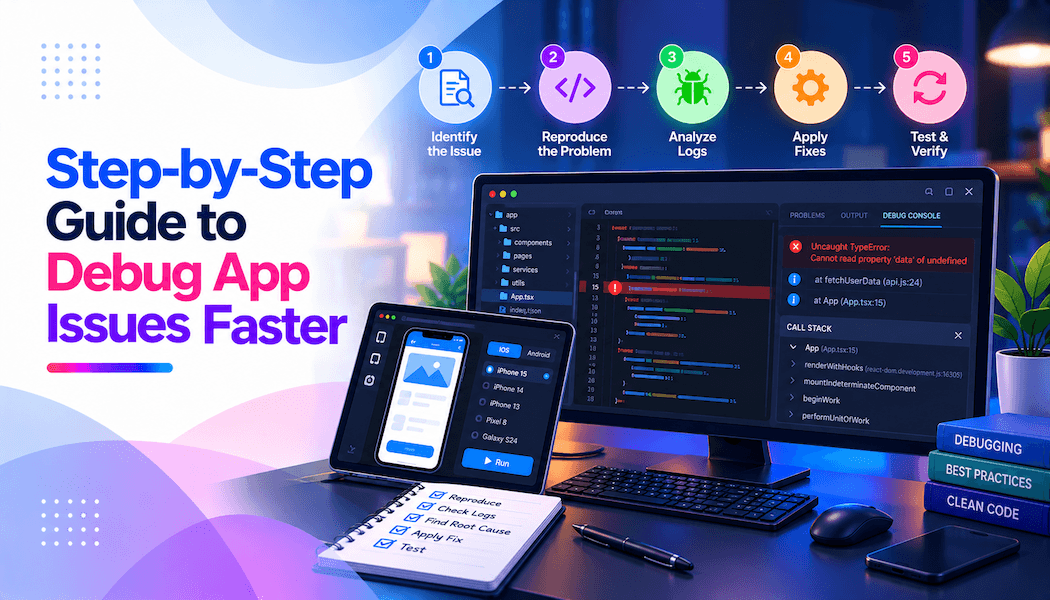
Step-by-Step Guide to Debug App Issues Faster
The ability to debug app issues efficiently is a critical skill for any mobile developer. In today's fast-paced development environment, where users expect seamless experiences across diverse devices, the process of debugging apps quickly can make the difference between a successful release and frustrating delays. Mobile applications, whether native, hybrid, or web-based, often encounter bugs ranging from crashes and UI glitches to performance lags and network failures. Mastering structured debugging techniques not only resolves these problems faster but also prevents them from recurring, leading to more stable and user-friendly apps.
Debugging is not just about fixing errors; it's about understanding the root causes through systematic investigation. This guide explores practical, step-by-step approaches to accelerate the debugging process. From reproducing issues reliably to leveraging powerful automation testing tool and logs, these methods draw from established best practices in mobile development. By following this structured path, developers can reduce downtime, improve code quality, and deliver better applications.
Table of Contents
- Understanding Common App Issues
- Reproducing the Issue Consistently
- Leveraging Logs for Initial Insights
- Using IDE Debuggers Effectively
- Testing on Real Devices and Diverse Configurations
- Debugging Performance Problems
- Handling Network and External Dependencies
- Advanced Techniques and Prevention
- Conclusion
Understanding Common App Issues
Before diving into debugging steps, it's essential to recognize the types of problems most frequently encountered in mobile apps. Identifying the category of an issue early helps narrow down the approach and tools needed. Common challenges arise from the fragmented mobile ecosystem, including varying device hardware, operating systems, network conditions, and user interactions.
Crashes and freezes top the list, often triggered by unhandled exceptions, memory leaks, or null pointers. UI-related problems, such as layout mismatches or unresponsive elements, frequently stem from device-specific resolutions or orientation changes. Performance bottlenecks, like slow loading times or janky animations, can result from inefficient code, excessive resource usage, or poor network handling. Network issues, including failed API calls or timeouts, become prominent in connected apps, while battery drain and compatibility problems across OS versions add further complexity.
These issues manifest differently on Android and iOS due to platform-specific behaviors. For instance, memory management differs significantly, leading to unique leak patterns. By categorizing the problem-whether functional, performance-related, or device-specific-developers gain a clearer starting point. This initial assessment saves time and directs efforts toward the most relevant diagnostic methods.
Reproducing the Issue Consistently
The foundation of effective debugging lies in reliably reproducing the problem. Without consistent replication, diagnosing the cause becomes guesswork, prolonging resolution times. Start by gathering detailed reports: note the exact steps users took, device model, OS version, network conditions, and any error messages displayed.
Attempt to mimic these conditions in a controlled environment. Use the same app version, input similar data, and simulate environmental factors like low battery or weak signals. Tools such as emulators can help initially, but real devices provide more accurate results, especially for hardware-dependent bugs. Document variations that trigger or avoid the issue—this often reveals patterns, such as specific sequences or states.
If the bug is intermittent, increase logging temporarily or use monitoring to capture occurrences. Reproducibility turns vague reports into actionable scenarios, enabling precise investigation. Once achieved, the debugging process accelerates dramatically, as changes can be tested against a known failure state.
Leveraging Logs for Initial Insights
Logs serve as the first line of defense in debugging, offering a chronological record of app execution. Effective use of logging reveals execution paths, variable states, and error points without needing to run a full debugger. In Android, Logcat provides real-time output, while iOS uses the Console in Xcode.
Implement structured logging early in development. Use levels appropriately: verbose for detailed flow, debug for variable inspection, info for milestones, warning for potential problems, and error for failures. Include context like timestamps, thread IDs, and relevant data, but avoid sensitive information.
Filter logs by tags or keywords to isolate relevant entries. Search for exceptions, stack traces, or unexpected values around the failure time. Custom logs around suspected code sections can pinpoint divergences from expected behavior. In production, integrate crash reporting to capture logs remotely.
Logs often uncover the issue quickly, especially for logic errors or integration problems. They complement other methods by providing historical context that breakpoints alone cannot.
Using IDE Debuggers Effectively
Integrated development environments like Android Studio and Xcode offer powerful debuggers for stepping through code. Attach the debugger to a running app or emulator, then set breakpoints at suspected lines. When execution pauses, inspect variables, evaluate expressions, and examine call stacks.
Step over lines to follow the flow, step into methods for deeper dives, or step out to return to higher levels. Watch expressions for real-time monitoring of key values. Conditional breakpoints halt only under specific conditions, reducing manual intervention for rare triggers.
For native code, hybrid debuggers handle both Java/Kotlin and C++. In complex scenarios, combine with logs to correlate paused states with recorded events. Debuggers excel at runtime issues, revealing states invisible in static analysis or logs.
Practice these features regularly, as proficiency shortens debugging sessions significantly.
Testing on Real Devices and Diverse Configurations
Emulators and simulators are convenient but often miss real-world nuances. Device fragmentation causes many bugs: varying screen sizes, processors, sensors, and OS implementations lead to inconsistent behavior.
Test on physical devices representing your target audience. Cloud platforms provide access to extensive real device farms, allowing parallel execution across models and versions. This uncovers compatibility issues early, such as layout distortions on specific resolutions or performance drops on older hardware. You can even try iPhone on Android to validate cross-platform experiences and UI consistency.
Simulate real conditions: varying networks, orientations, interruptions like calls, and low resources. For automated scenarios, frameworks supporting Appium mobile testing enable scripted runs on real devices, combining reliability with broad coverage. Platforms like TestMu AI (formerly LambdaTest) facilitate this by offering cloud-based real device access integrated with Appium, including the ability to try iPhone on Android, streamlining cross-device validation and accelerating feedback loops.
Real device testing bridges the gap between development and user experiences, catching elusive bugs that simulated environments overlook.
Debugging Performance Problems
Performance issues degrade user satisfaction subtly, through lags or high resource use. Profile apps using built-in tools: Android Studio Profiler tracks CPU, memory, network, and energy; Xcode Instruments offers a similar feature for iOS.
Identify bottlenecks by recording sessions during problematic actions. Look for excessive CPU spikes, memory growth indicating leaks, or frequent network requests. Optimize by reducing overdraw, using efficient data structures, or caching responses.
Trace system calls or use flame graphs for deep insights. Address jank by ensuring main thread operations remain light. Regular profiling during development prevents the accumulation of inefficiencies.
Handling Network and External Dependencies
Many bugs involve external services: failed requests, slow responses, or malformed data. Intercept traffic with proxies to inspect payloads and headers. Simulate poor networks to test resilience.
Log request details and responses. Use mocks in development to isolate app logic from unreliable endpoints. Verify error handling for timeouts, offline states, and authentication failures.
Dependency issues often require coordination with backend teams, using shared logs or traces.
Advanced Techniques and Prevention
For stubborn bugs, employ binary search: comment out code sections to isolate faulty parts. Rubber-duck debugging, explaining code aloud, forces fresh perspectives.
Prevent issues through unit tests, integration checks, and code reviews. Implement continuous integration for automated runs. Monitor production with analytics to catch regressions early.
Take breaks when stuck; fresh eyes often spot overlooked details.
Conclusion
Debugging app issues faster requires a disciplined, multi-faceted approach combining reproduction, logs, debuggers, real device testing, and profiling. By categorizing problems, leveraging platform tools, and incorporating preventive practices, developers resolve issues efficiently and build robust applications.
Consistent application of these steps not only shortens resolution times but also enhances overall development skills. In the evolving mobile landscape, quick debugging ensures apps remain competitive and delightful for users.