The Art of Crafting Intuitive Web App Interfaces: A Designer’s Guide
In today’s fast-paced digital world, a web application’s success hinges on far more than just its feature set.
Users now expect seamless, almost invisible experiences — where tools simply work, intuitively, without friction or confusion.
While mobile apps often steal the spotlight, web applications remain the unsung heroes of digital productivity, providing platform-agnostic solutions for users everywhere.
Yet standing out isn’t easy.
Designing layouts for web apps requires a deep understanding of both visual design and human psychology — creating spaces that are not just beautiful, but practical and satisfying to use.
It’s a balancing act between art and science, aesthetics and functionality.
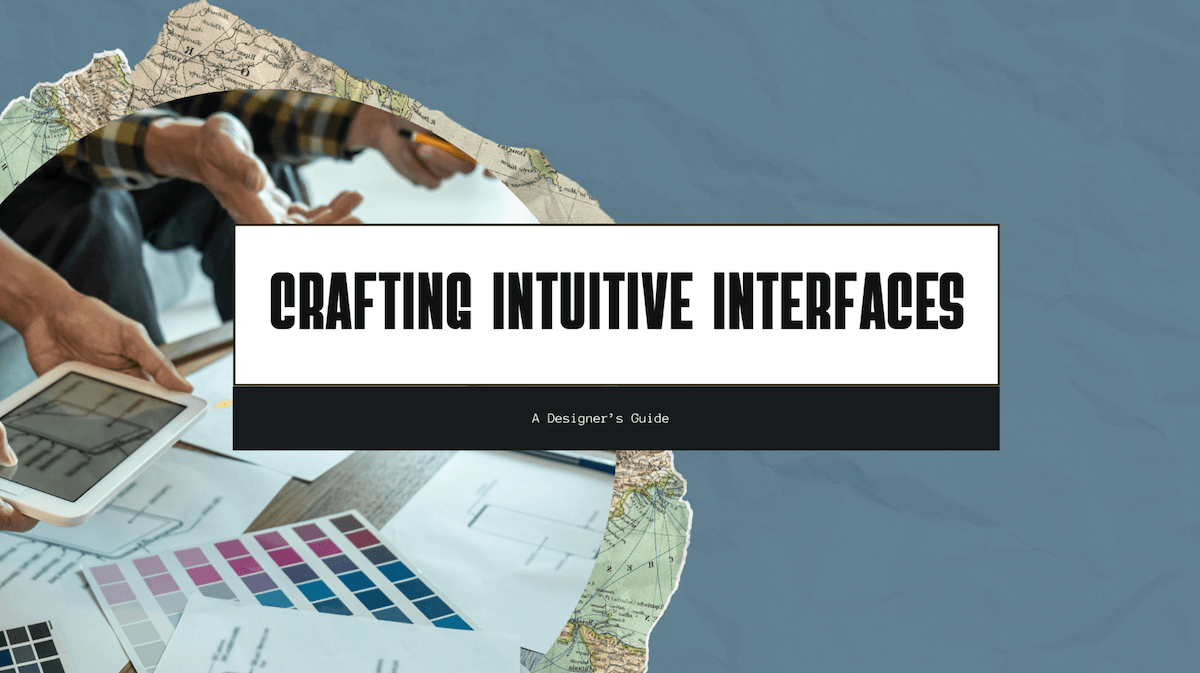
Understanding the Web App Design Landscape
Before we dive into specific principles, it’s worth stepping back to recognize what truly makes web apps unique compared to traditional websites.
Websites, in many cases, serve primarily as information portals. They guide users through content, tell stories, or market products.
Web apps, on the other hand, are interactive tools. They exist to help users complete tasks, manage data, or collaborate with others.
This distinction fundamentally shifts the designer’s mindset. It’s no longer just about attracting attention — it’s about building intuitive, reliable digital workspaces where users feel empowered.
At their core, web apps are defined by:
- Task-driven functionality: Users come with specific goals — like editing a document, managing projects, or analyzing data.
- Habitual engagement: Unlike one-time website visits, users often return daily or even hourly.
- Dynamic interactivity: Data isn't just consumed; it's created, edited, and manipulated.
- Cross-platform consistency: Users expect the same experience whether on a laptop, tablet, or phone.
Industry leaders like Figma, Slack, Notion, and Airtable have set the bar incredibly high, crafting user experiences that feel effortless yet powerful.
Essential Principles for Effective Web App Design
1. Prioritize User Experience Over Visual Complexity
When you're deep in Figma or Sketch, it’s tempting to chase stunning visuals — intricate gradients, slick animations, elaborate transitions.
But ask yourself: Who are you really designing for?
The best web applications, like Mailchimp and Trello, embrace functional minimalism. They prioritize usability over visual flair, allowing content and functionality to shine without distraction.
Simple layouts, clean typography, and intuitive color use help reduce cognitive load — meaning users don’t have to think hard about how to navigate.
Every additional design element you introduce should serve a clear purpose. If it doesn’t? Cut it.
Notion masterfully uses white space and gentle colors to create a flexible environment where the user’s ideas — not the interface — take center stage.
2. Create Consistent Navigation Patterns
Imagine walking into a grocery store where the bread aisle moves to a new location every time you visit. Frustrating, right?
The same principle applies to web app navigation.
Navigation should feel invisible — users shouldn’t have to consciously think about it after their first few interactions.
Effective navigation includes:
- Fixed primary navigation (often along the top or left)
- Contextual menus for secondary actions
- for deeper sections
- Global search that's accessible anywhere
Look at Slack’s side navigation: no matter how complex your workspace gets, the basic structure stays predictable, helping users maintain orientation and flow.
3. Design for Progressive Disclosure
One of the trickiest challenges in web app design is feature overload.
It’s tempting to put everything up front — but too many visible options can overwhelm, frustrate, and slow users down.
Progressive disclosure solves this by revealing functionality gradually, based on context or user intent.
For example, Google Docs hides advanced formatting tools until you interact with a table, image, or special content.
When designing layouts for web apps, ask yourself:
Can this feature stay hidden until the user needs it?
Less upfront clutter = Greater user confidence.
4. Incorporate Responsive Design Principles
Gone are the days when you could assume your users are sitting at a desktop.
Today, your app must feel native and intuitive everywhere — on massive monitors, tiny phones, tablets, and everything in between.
True responsiveness isn’t just about squeezing layouts. It's about rethinking interactions:
- Big, tappable buttons for mobile
- Reflowed layouts that prioritize critical information
- Offline resilience and quick load times for spotty connections
Consider how Airtable adapts its complex databases to mobile — prioritizing quick access to core tasks, without overwhelming users.
Designing layouts for web apps today demands that we design for flexibility, not just fixed screens.
Visual Design Elements That Enhance Usability
Purposeful Color Systems
Color isn’t just decoration — it's a functional tool.
A good color system:
- Establishes hierarchy (guiding focus)
- Communicates status (success, error, warning)
- Supports accessibility (strong contrast, no color-only indicators)
Asana uses color thoughtfully — bright, strategic pops that make important tasks pop without feeling chaotic.
When designing layouts for web apps, stick to a tight, disciplined palette — usually 2–3 main colors, plus functional shades.
Clear, Readable Typography
Your app lives and dies by typography.
Users spend their time reading: labels, tasks, buttons, notifications.
Strong typography means:
- High contrast text
- Logical hierarchies of headings and body copy
- Screen-friendly fonts like Inter, Roboto, or Open Sans
- Comfortable spacing for easy scanning
Check out how Basecamp or Intercom nail typography — clean, human, unobtrusive.
Strategic White Space
White space isn’t wasted space.
It’s a design tool that:
- Reduces mental fatigue
- Improves readability
- Creates breathing room between elements
- Gives your app an elegant, premium feel
Apps like Linear and Superhuman use white space expertly — their interfaces feel calm, even when handling heavy workflows.
Testing and Iteration: The Path to Refinement
Even the smartest designs can flop when real users get involved.
That’s why the best teams see design as a living, breathing process — not a "set it and forget it" project.
Make continuous improvement your mantra:
- Usability testing: Watch users interact and note where they struggle.
- Track drop-offs, bottlenecks, and behavior flows.
- Heatmaps & session recordings: See what draws attention (or confusion).
- Direct feedback: Surveys, interviews, and NPS scores.
Iteration based on real user data is the difference between good apps and great apps.
Bringing It All Together
At the end of the day, designing layouts for web apps is about serving users, not showing off.
The best apps disappear into the background, allowing people to think less about the tool and more about their task.
The most beloved web apps — the ones users swear by — don’t just look sleek.
They feel natural, effortless, and trustworthy.
As you design your next project, remember:
You’re not just designing screens. You’re designing experiences.
And in a crowded digital world, building human-centric apps isn’t just nice to have —
It’s the only way to win.