Vmake AI Agent Review: A Simple Background Removal App for Faster Video Creation
Creating short videos every day has become normal for brands, but the real challenge is keeping up without spending hours editing. Most business owners don’t have time to learn complicated software, and that’s where tools like Vmake really help.
Instead of starting from scratch, the platform helps shape the first draft and takes care of tasks that usually slow people down, including the ability to remove bg video without technical steps. This turns video production into a simple, repeatable part of daily marketing instead of something that requires a studio or expert editor.
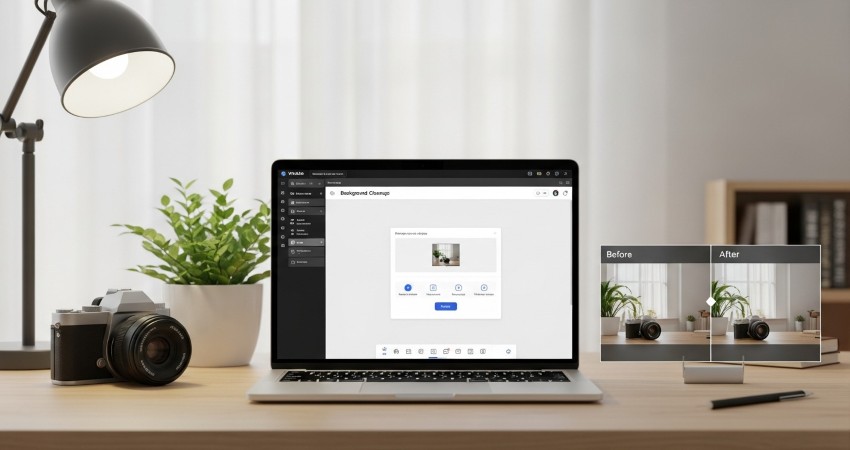
How Vmake’s Background Removal Tool Works?
The background removal feature within Vmake is built for users who don't have time to learn rotoscoping. Traditionally, isolating a subject meant tracing frames by hand, which takes a lot of time. And it’s incredibly tedious.
The AI implementation here handles this differentiation automatically. It identifies the human figure or the product in the foreground and strips away the static or moving environment behind it. This feature is especially useful for e-commerce sellers working with quick product demos. A shop owner can film a new product arrival in a crowded stockroom using just their phone.
Simple Steps to Remove BG video Inside Vmake
Using this feature is less about technical settings and more about following a sequence.
- Uploading the Asset: You begin by uploading your footage into the tool. The tool accepts standard formats like MP4.
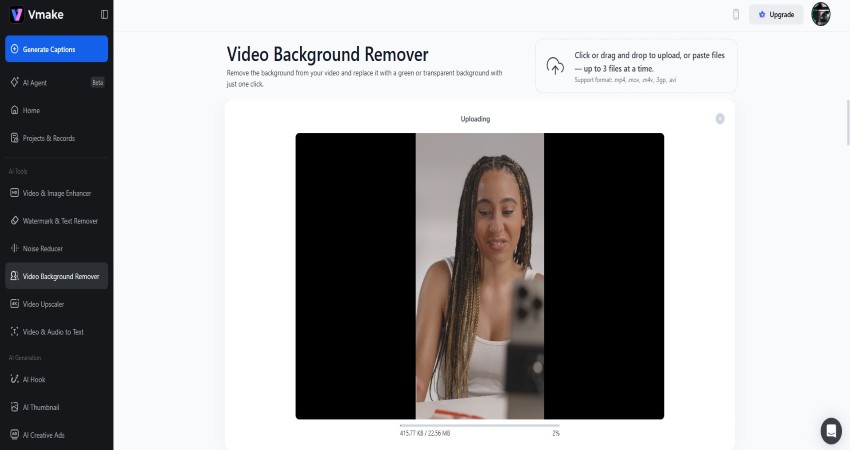
- Initiating Removal: Inside the editor, this is a direct command. You don't need to draw masks or select pixels. You instruct the system to remove the background. The system processes the subject in the cloud and analyzes any movement automatically.
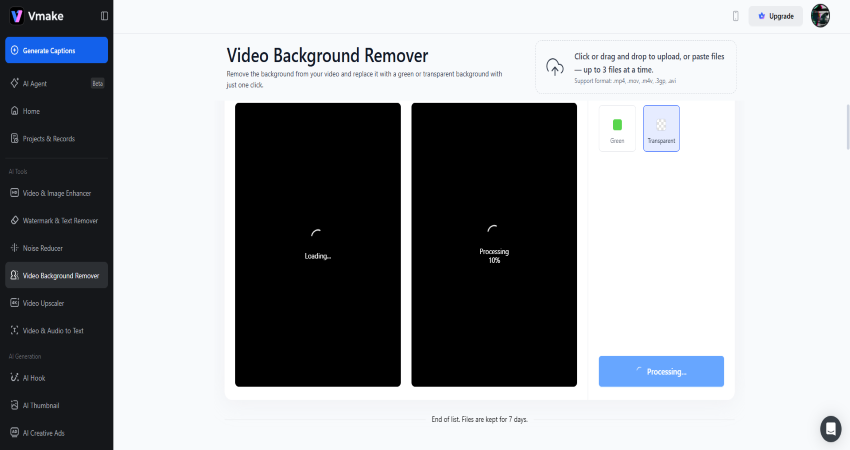
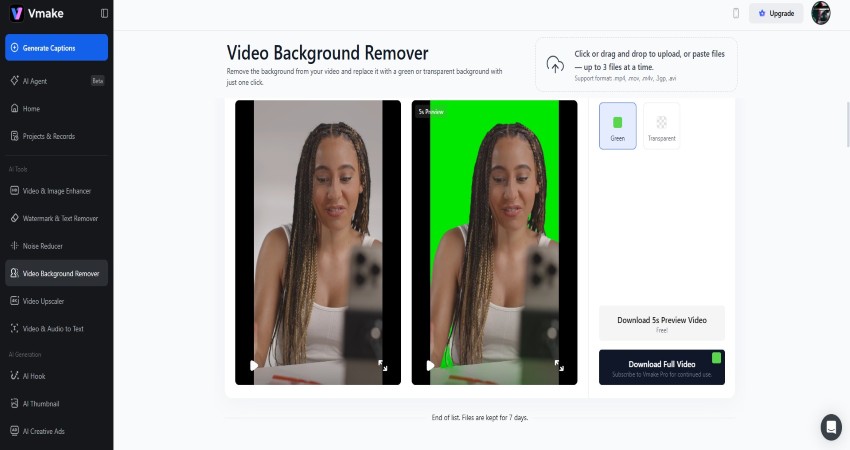
- Selecting the New Context: Once the background is transparent. The video is then placed on a layer where you can add a new background behind it. The user then selects what goes behind it. For talking-head videos, a subtle gradient or a blurred office loop is common. For product showcases, a solid white or bright pop color often works best to mimic a studio infinity wall.
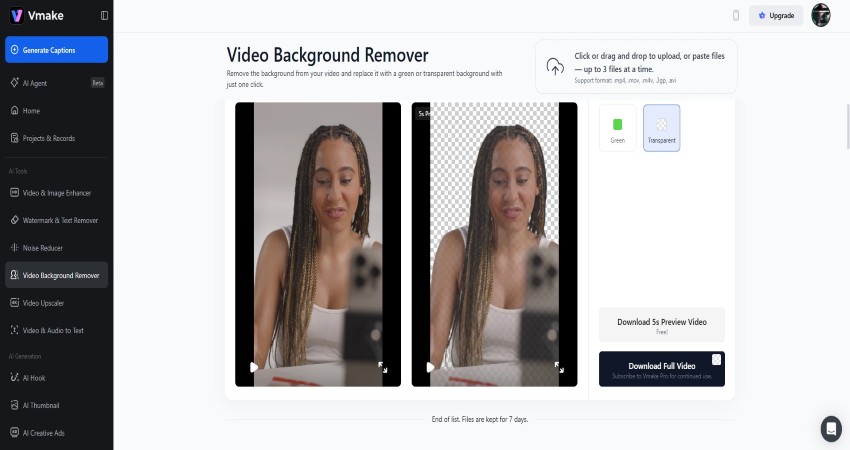
- The Edge Check: Before finishing, it’s helpful to watch the playback and see if anything needs adjusting.
How Vmake Adjusts Videos for Different Audiences
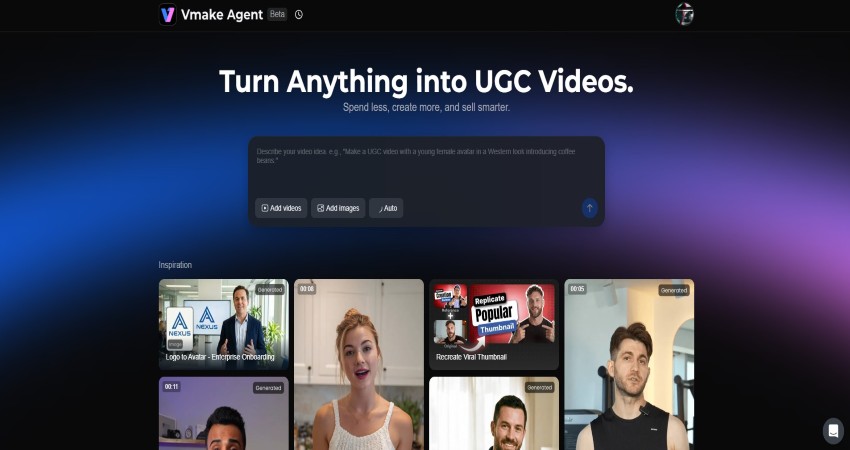
The Agent goes beyond cleanup and adjusts the video based on the context you provide. A video selling a $300 travel bag to a business executive requires a different tone than a video selling the same bag to a college student.
When a user interacts with the Agent, they define the target audience. The system then drafts a script that matches that demographic. For the business traveler, it might highlight the laptop compartment and the sleek design. For the student, it might focus on durability and capacity.
This also affects how the edit is paced and styled. The Agent knows that Instagram Reels require a 9:16 aspect ratio and fast pacing. It knows that a tutorial might need slower cuts and clear text overlays. It applies these rules automatically. The user doesn't need to manually resize the video or look up the current best practices for aspect ratios. The system applies these settings automatically.
Using Chat Commands to Edit Your Video Faster
The interface moves away from traditional icon-based menus. In sophisticated video editors, half the battle is finding the button for the specific effect you want. Vmake utilizes a chat-to-edit paradigm.
The user types commands in natural language. "Make the video faster." "Add subtitles." "Change the tone to be more energetic."
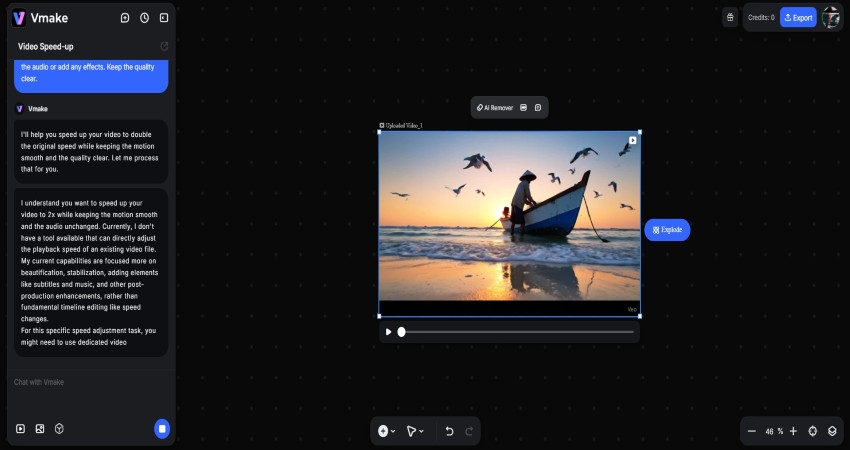
The system translates these sentences into technical actions. "Make it faster" might trigger a speed ramp effect and cut out silent pauses. "Energetic" might trigger a brighter color grade and a switch to an upbeat backing track. This makes editing much easier for anyone who isn’t familiar with complex software.
Easy Subtitle and Audio Options for Social Videos
A significant portion of social media consumption happens in silence. Subtitles are mandatory. Manually transcribing audio and syncing it to video is one of the most hated tasks in production. Vmake includes an automated captioning engine that supports multiple languages.
But it goes beyond transcription. Keeping viewers watching often comes down to how engaging the visuals feel. The system generates dynamic captions. These aren't just static lines of text at the bottom of the screen. They are active. Words pop up in sync with the speech. Colors change to emphasize keywords.
Finishing Your Video with Thumbnails and Final Touches
A video is not finished until it is packaged. The thumbnail is often the deciding factor if a video gets clicked. Vmake integrates this step. It scans the video to find the most expressive frame of the subject. It generates thumbnail options that layer text behind the subject for depth or in front for clarity. It pairs the thumbnail’s text and colors with the style of the video.
How a Clean Background Helps Your Video Perform Better?
Clean visuals play a big role in how viewers respond to a video. This is particularly true for User Generated Content (UGC). UGC needs to feel authentic, but "authentic" doesn't mean "messy." There is a balance. A video needs to look like it was made by a real person, but it needs to command the respect of an ad.
Controlling the environment is the easiest way to signal quality. A clean, solid color background or a blurred office setting keeps the focus entirely on the face of the speaker or the details of the product. This helps remove visual noise. When a viewer notices clutter in the background, their attention drifts away from the message.
Conclusion
Vmake changes the way everyday video content is produced by reducing the amount of technical work creators usually face. Tasks that once required advanced editing skills, like cleaning up a busy scene or using tools to remove bg video, now happen in a few steps. This lets marketers and small teams focus more on their message instead of wrestling with software.
The platform offers structure when needed and flexibility when ideas change, which is the balance most people look for. For anyone trying to keep a steady posting routine, Vmake makes the process more manageable and less time-consuming.