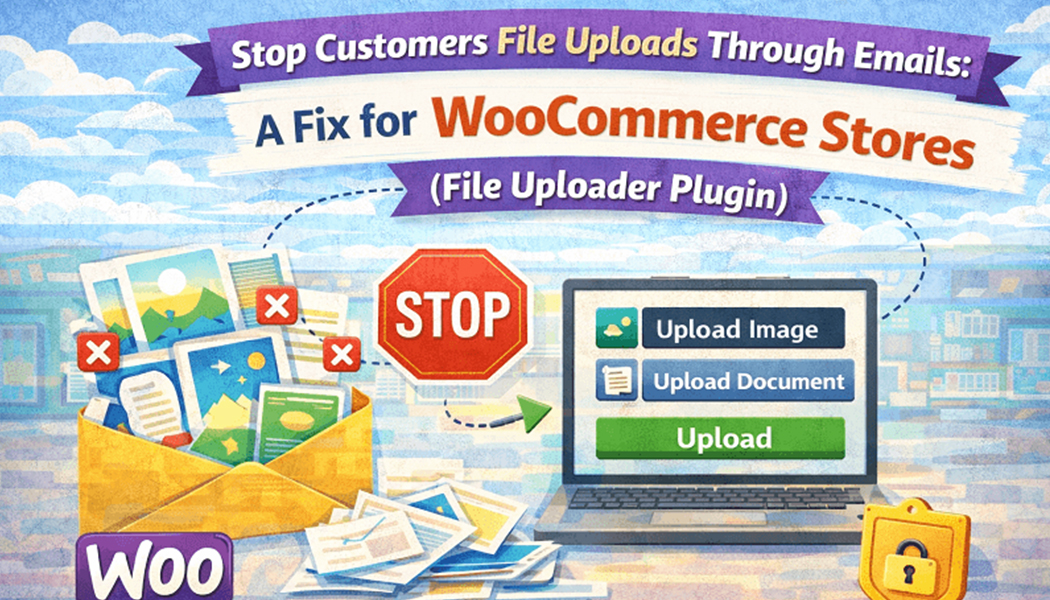
When Customers Keep Emailing Files Instead of Uploading Them: A Fix for Your WooCommerce Store
There is a moment many store owners recognize instantly. An order comes in clean and paid. Then, a few minutes later, an email arrives with an attachment. Sometimes two emails. Sometimes the wrong file. Sometimes, no order number is mentioned at all. Before you know it, your inbox becomes part of the checkout process, even though it was never meant to be.
This habit does not usually start because customers want to make things difficult. It starts because the store never clearly gave them a better place to upload files. When upload fil,e WooCommerce options are missing, or unclear, customers default to email because that feels familiar and safe to them.
The issue is not the customer behavior itself. The issue is the gap in the workflow. And that gap can be fixed without forcing customers to relearn everything.
Why customers keep sending files through email
Customers follow signals. If the product page does not clearly show a file upload option, they assume email is the next best thing. Even a short line saying send your file after checkout pushes them toward inbox based sharing.
Some customers do see upload fields but they are hidden too late in the flow or not explained well. Others shop on mobile and miss small upload buttons entirely. So they fall back to what they know.
Email feels universal. Everyone knows how to attach a file and hit send. That does not mean it is the right tool for handling order-related files. It just means it is the most obvious one when no better option stands out.
Stores that add upload file WooCommerce functionality in the right place often see this behavior disappear almost immediately.
How email-based file sharing breaks order flow
Email separates files from orders. That separation causes friction on both sides. Customers send files without context. Staff receive files without certainty.
Someone has to match the file to the order manually. That may sound simple, but when orders increase, this task becomes risky. One missed detail can lead to the wrong file being used.
Checkout files upload for WooCommerce solves this by keeping everything tied together. The file is part of the order record. There is no guesswork involved.
Email also introduces delays. Files may arrive hours later. Production waits. Customers assume things are moving forward when they are not. This silent delay is one of the most common causes of dissatisfaction.
The hidden cost of inbox-driven uploads
The cost is not just time. It is a mental load. Staff have to remember which file belongs where. They have to double check threads. They have to search inboxes during busy hours.
These small interruptions add up. They slow teams down. They increase error rates. They create frustration that never shows up in reports but affects daily work.
When stores switch to upload file WooCommerce systems, the inbox becomes lighter. Files arrive exactly where expected. Orders feel calmer to handle.
This change often improves morale inside the team, which indirectly improves customer experience too.
Customers are not ignoring rules on purpose
It is easy to assume customers are careless. In reality, they are responding to unclear systems. If the upload option feels optional or hidden, they will choose the path that feels safest.
A visible upload field on the product page or at checkout sends a clear message. This is where your file goes. No follow up needed.
Checkout files upload for WooCommerce works especially well because it captures the file at the final moment when the customer is fully engaged. They are already reviewing details. Uploading a file feels like part of completing the order, not an extra task.
Once customers experience this flow, they rarely go back to emailing files.
Why file size and format issues push people to email
Sometimes upload fields exist but fail silently. File size limits are unclear. Error messages confuse users. Customers try once, then give up and email instead.
A proper upload file WooCommerce setup makes rules visible. Allowed formats are listed. Size limits are clear. Feedback is immediate.
This transparency builds trust. Customers know their file went through. They do not feel the need to send a backup email just in case.
Email often becomes a backup channel when the main upload path feels unreliable. Fixing the main path removes the need for backups.
Centralizing uploads changes how orders are handled
When files are uploaded correctly, they live in order. Staff open the order and see everything. No switching tools. No searching.
This centralization improves accuracy. It also speeds up fulfillment. Teams move from one order to the next without interruption.
The checkout files upload for WooCommerce is particularly useful for stores selling personalized items. It ensures the file arrives before production begins. There is no waiting period and no follow up email required.
Orders feel complete the moment they arrive.
Reducing customer follow-up without extra messaging
Many stores send reminder emails asking for files. That adds another layer of communication that customers may ignore or delay.
When upload file, WooCommerce is part of the buying flow, and reminders become unnecessary. The customer cannot miss the step because it is part of the process.
This reduces support tickets. Customers do not ask whether their file was received. Staff do not need to reply with confirmations.
Silence here is a good thing. It means the system worked.
Changing habits without confusing customers
Switching away from email does not require strict rules or warnings. It requires better placement and clearer guidance.
A simple note near the upload field explaining what file is needed works well. Customers appreciate clarity more than flexibility in this case.
When checkout files upload for WooCommerce is implemented cleanly, customers adapt quickly. They rarely resist because the new way feels easier than sending emails.
Old habits fade when better options exist.
Why this fix improves long-term scalability
Email-based file handling does not scale. It depends on people remembering steps and catching mistakes. That works until it does not.
As order volume grows, systems need to carry more responsibility. File uploads tied to orders are one of those responsibilities.
Upload file WooCommerce tools shift work from people to the platform. That makes growth less stressful and more predictable.
Stores that plan ahead often fix this before it becomes painful. Stores that wait usually fix it after a few costly mistakes.
Final thoughts
Customers emailing files is not a customer problem. It is a system gap. When the store offers a clear, reliable upload path, customers follow it naturally.
Adding upload file WooCommerce options at the right moment removes confusion for everyone involved. Checkout files upload for WooCommerce brings structure where inboxes cannot.
The fix is not complicated. It is simply about letting files live where they belong in order. Once that happens, the inbox quiets down, and the store runs more smoothly without extra effort.