Description
Grades Calculator: A Smart Tool for Accurate Academic Planning
Academic success starts with understanding your progress. Whether you're in high school, college, or university, knowing where you stand can help you make better study decisions. A Grades Calculator is a simple online tool that calculates your current or final grade based on your scores and grading criteria, allowing you to focus more on learning instead of manual calculations.
What Is a Grades Calculator?
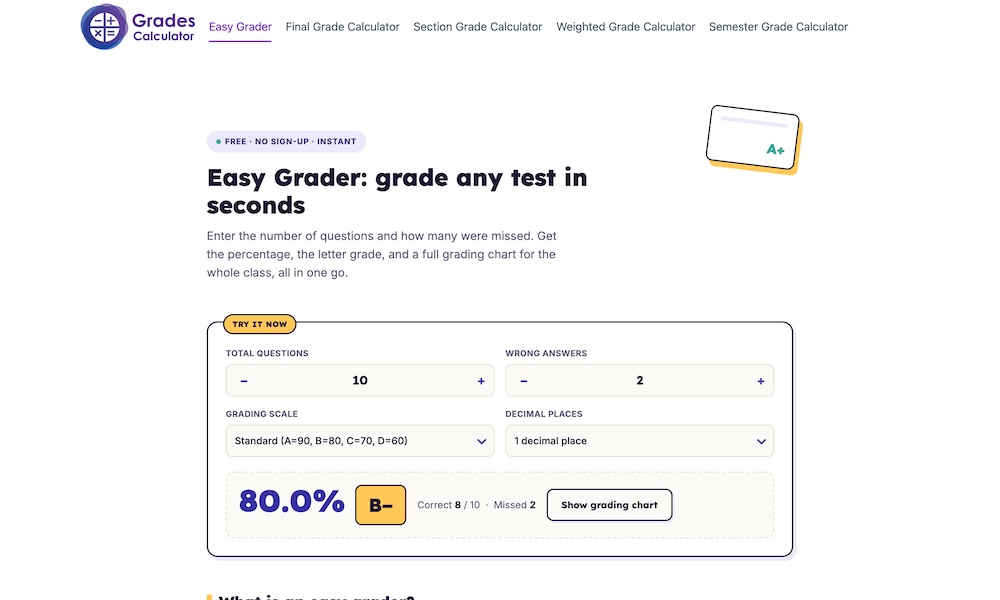
A Grades Calculator is an online tool that automatically computes your grade using the marks you've earned in assignments, quizzes, projects, midterm exams, and final exams. Instead of calculating percentages by hand, you simply enter your scores and the weight of each assessment, and the calculator provides an instant result.
This makes it easier to understand your academic performance without worrying about mathematical errors.
Why Students Use a Grades Calculator
Students often have multiple assignments and exams that contribute differently to their final grade. Keeping track of these percentages manually can be confusing, especially when courses use weighted grading systems.
A Grades Calculator simplifies the process by helping students:
-
Calculate their current course grade.
-
Estimate their final semester grade.
-
Determine the score needed on upcoming exams.
-
Track academic progress throughout the year.
-
Make informed study plans before important tests.
With instant calculations, students can quickly identify areas where improvement is needed.
Features of a Good Grades Calculator
A reliable Grades Calculator should be fast, accurate, and easy to use. Some of the most valuable features include:
-
Support for weighted and unweighted grading.
-
Instant percentage calculations.
-
User-friendly interface.
-
Mobile-friendly design.
-
No registration required.
-
Accurate results within seconds.
These features make the calculator useful for students, teachers, and parents alike.
Benefits for Teachers and Parents
While students are the primary users, teachers and parents can also benefit from a Grades Calculator.
Teachers can calculate class grades more efficiently, reducing the time spent on repetitive calculations. Parents can monitor their child's academic progress and better understand how individual assignments affect overall performance.
Using a calculator helps everyone stay informed and makes academic planning much easier.
How to Use a Grades Calculator
Using a Grades Calculator is straightforward:
-
Enter the scores you've earned.
-
Add the maximum possible points or grading weights.
-
Include all assignments, quizzes, and exams.
-
Click the calculate button.
-
Review your overall grade instantly.
The entire process usually takes less than a minute.
Why Choose GradesCalculator.net?
If you're looking for a free and reliable tool, GradesCalculator.net offers everything you need in one place. The website is designed to provide fast, accurate, and hassle-free grade calculations for students of all education levels.
Whether you're checking your current average, calculating a weighted grade, or planning for your final exam, the calculator delivers dependable results in just a few clicks. Since it's web-based, you can access it from your computer, tablet, or smartphone without installing any software.
Related Websites
-
Nalanda Educational Institutions
by Nalanda_Educational_Institutions
647 -
Elitematrimony
by elitematrimony
1196 -
Luminary Software
by Saskatoon digital Agency
1668