Description
Our PDF Services – Fast, Free & Easy to Use
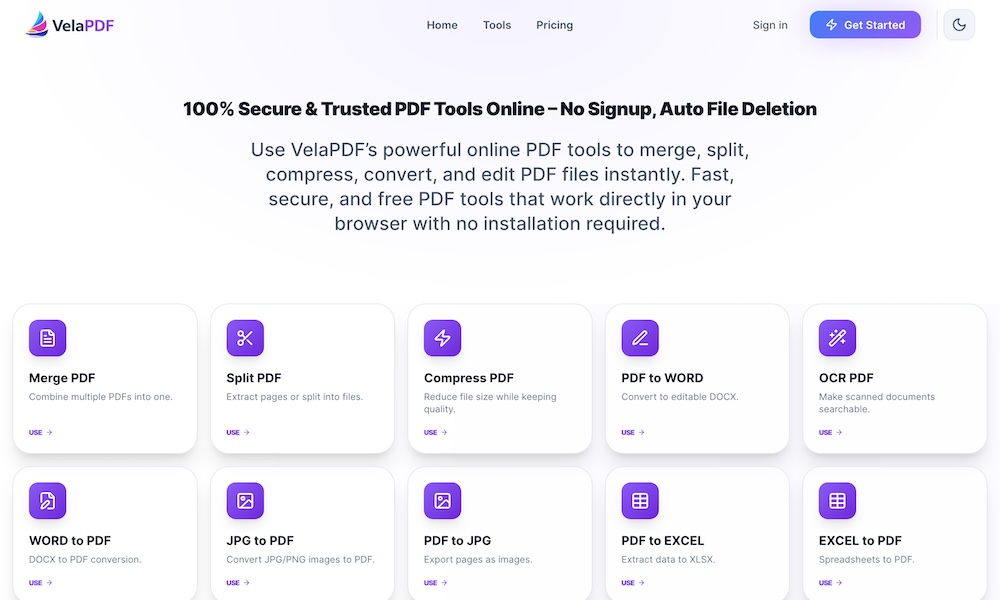
At VelaPDF, we offer a complete set of free online PDF tools designed to make your document workflow simple and stress-free. No software downloads, no signups, and no watermarks — just upload your file, get the job done quickly, and download the result.
Here’s everything you can do with our tools:
Core PDF Management Tools
- Merge PDF — Combine multiple PDF files into one organized document in seconds. Perfect for reports, assignments, or contracts.
- Split PDF — Divide large PDFs into smaller files or extract specific pages you need.
- Compress PDF — Reduce file size dramatically while keeping excellent quality — ideal for email or quick uploads.
- Organize / Rearrange PDF — Drag and drop to reorder, rotate, delete, or move pages easily.
- Remove Pages & Extract Pages — Clean up your documents by removing unwanted pages or saving only the ones you want.
Conversion Tools
- PDF to Word (DOCX) — Convert PDFs into fully editable Word documents.
- Word to PDF — Turn DOCX files into professional PDFs.
- PDF to Excel & Excel to PDF — Extract tables and data or convert spreadsheets to PDF.
- PDF to PowerPoint & PowerPoint to PDF — Convert presentations back and forth.
- PDF to JPG & JPG to PDF — Export pages as images or combine images into a PDF.
- HTML to PDF & Markdown to PDF — Save webpages or MD files as clean PDFs.
- PDF to Video — Turn your PDF pages into a simple slideshow video.
Advanced & Editing Tools
- OCR PDF — Convert scanned documents and images into searchable, editable text.
- Edit PDF — Add or modify text, insert images, and make quick changes directly online.
- Add Watermark — Protect your documents with text or image watermarks.
- Add Page Numbers — Automatically number pages in your PDF.
- Protect PDF — Add password encryption to secure sensitive files.
- Unlock PDF — Remove password protection from locked PDFs.
- Flatten PDF — Make form fields non-editable and lock the content.
- Compare PDF — Spot differences between two documents side by side.
- Clear Fields / Auto Redact — Remove filled form data or sensitive information quickly.
- Font Analysis — Check fonts used in your PDF.
- Scan to PDF — Convert physical documents or photos into proper PDFs.
Why Our Services Stand Out
- 100% Free for all core tools with generous usage limits
- Lightning fast processing, even for bigger files
- Strong privacy — Files are processed securely and automatically deleted shortly after use
- Works on every device — Desktop, tablet, or mobile
- No signup or installation required
Whether you're a student submitting assignments, a freelancer sending proposals, a business handling contracts, or just someone who works with PDFs regularly, our tools help you get things done faster and more professionally.
Ready to try? Pick any tool above and start working on your documents right away — no account needed.
Related Websites
-
Tamara Web Design
by Tamara Web Design
1757 -
Era Developer
by era developer
2040 -
ElightDigitech
by ElightDigitech
1160