Acupressurist Website Template
by Revamp
Description
Free premium acupressurist website template. Add your content, customize with AI, and publish your website in minutes.
About this template
Help prospective clients understand what acupressure involves, how sessions are shaped around their comfort, and what to expect on a first visit. The page introduces a thoughtful, client-led approach to bodywork without making treatment claims.
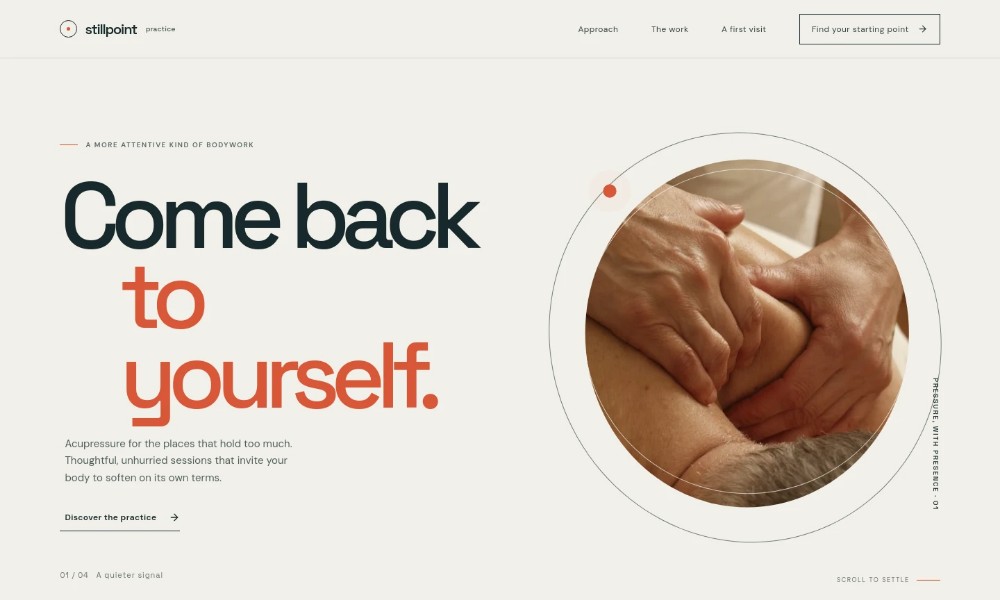
The design gives visitors a clear path from learning about the method to comparing three session options and starting a conversation. A warm photographic hero, restrained typography, and calm visual rhythm support the considerate tone of the practice.
Who it’s for
Acupressurists, bodywork practitioners, and independent wellness professionals who want to explain their approach, outline session options, and make it easier for prospective clients to get in touch.
What’s included
The page guides visitors through the practice, session choices, first-visit expectations, and a contact invitation, helping them decide whether to take the next step.
Hero and practice introduction
Opens with a hands-on bodywork image and a concise description of acupressure, setting expectations for thoughtful sessions that follow the client’s pace.
Approach to acupressure
Explains steady, considered touch and emphasizes responding to comfort and feedback rather than following a fixed script.
How the method works
Presents a three-part sequence: notice what the client is experiencing, adjust pressure together, and make time to reflect afterward.
Session options
Describes three starting points: a full-body unwind, focused attention on one area, and a familiar session rhythm. Each includes a session length.
First visit guidance
Reassures visitors that they do not need to know exactly what they need in advance, and explains that comfort and preferences are discussed before and during the session.
Contact invitation
Encourages prospective clients to begin with a conversation and ask whether acupressure might suit them.
How to use this template
-
Open in Revamp
Click Use this template and sign in or create an account. You’ll start with your own copy of the design, ready to personalize.
-
Bring your content
Replace the sample text, photos, and logo with your own. Share your content, a document, or an existing website, and ask Revamp to adapt the template to your business.
-
Refine and publish
Ask Revamp to adjust the colors, layout, or sections, or edit directly on the page. Review desktop and mobile, then publish. You can keep making changes after launch.
Put your website to work
Make it easier to manage inquiries and session scheduling as the practice grows. Ask Revamp to add or connect tools that support your preferred workflow.
-
Let clients request a session time
Calendly
Reduce back-and-forth when arranging appointments. Ask Revamp to add appointment booking with Calendly.
-
Keep appointments organized
Google Calendar
Coordinate session times with your calendar. Ask Revamp to connect Google Calendar for appointment scheduling.
-
Manage bookings and client details
Vagaro
Keep appointments and client records together. Ask Revamp to add practice-management booking with Vagaro.
Related Websites
-
TOTD1283
-
TOTD
Fairy
by Candid Themes
1375 -
TOTD1951