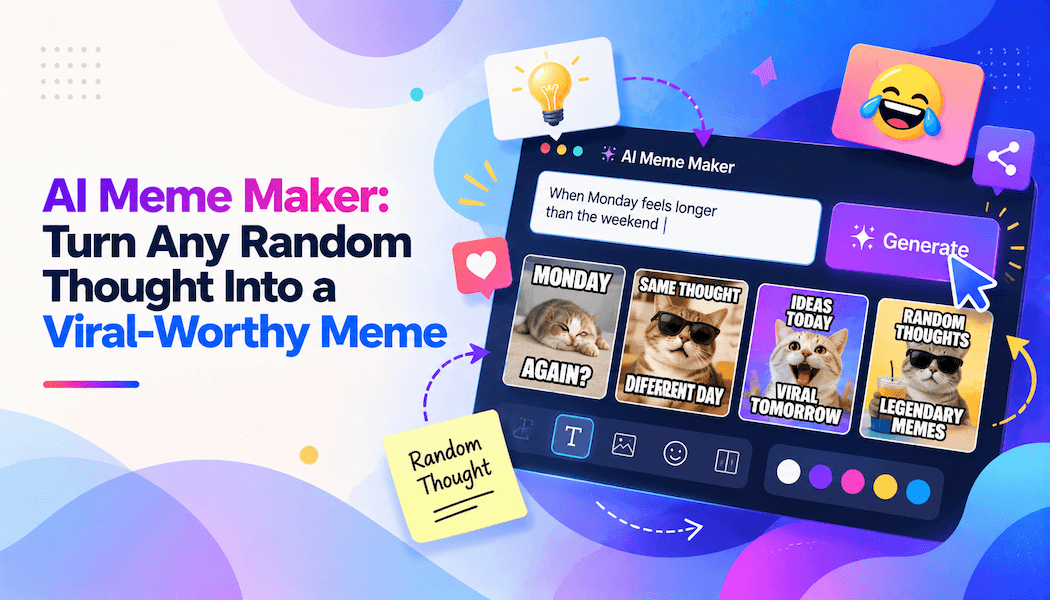
AI Meme Maker: Turn Any Random Thought Into a Viral-Worthy Meme
Ever had a hilarious thought at 2 a.m. something so oddly specific that you knew it would make your group chat laugh? Maybe it was about Monday meetings, Wi-Fi failures, gym motivation, or the eternal struggle of choosing what to watch online. In the past, turning that thought into a polished meme meant hunting for a template, editing an image, choosing fonts, and hoping the caption did not look awkward.
Now, an AI meme maker can turn that random idea into a share-worthy meme in seconds. You type the thought, upload a photo if you want, and let artificial intelligence suggest captions, visuals, templates, and formats. No design experience required just a sense of humor and a few seconds to spare.
AI meme tools combine caption generation, image recognition, templates, and editing features to simplify meme creation; many can produce results from a text prompt or an uploaded image.
What Is an AI Meme Maker?
An AI meme maker is an online tool that uses artificial intelligence to create funny, relatable, and shareable memes from your ideas. Instead of manually searching for images and placing text in a design app, you describe the joke or upload a picture, and the AI helps assemble the final meme.
For example, you could type:
“Create a meme about opening 12 browser tabs and forgetting why I opened any of them.”
The AI may suggest a suitable visual, write a punchy caption, place the text correctly, and offer a few variations. You can then edit the wording, change the font, add stickers, or export it for Instagram, X, TikTok, WhatsApp, or Reddit.
Modern meme generators go beyond basic text overlays. They can understand a topic, propose contextual captions, select or adapt templates, and sometimes generate original images or short videos from a prompt.
Why AI Makes Meme Creation Easier
Creating a good meme is not only about adding words to an image. A strong meme has timing, context, visual clarity, and a punchline that feels natural. AI helps remove the technical friction so you can focus on the idea.
| Traditional Meme Creation | AI Meme Maker |
| Search for templates manually | Get template and format suggestions |
| Write and position captions yourself | Receive AI-generated caption ideas |
| Requires basic design skills | Designed for beginners |
| Can take several minutes per meme | Often creates drafts in seconds |
| Limited to static images in many cases | May support images, GIFs, and video memes |
| Hard to produce variations quickly | Easy to test multiple captions and formats |
AI meme generators reduce the time needed to go from an idea to a finished meme, and many require no prior design experience.
How an AI Meme Maker Works
Most AI meme makers follow a simple three-step process:
- Enter your idea or upload an image
Type a topic, joke, situation, or caption. You can also upload a selfie, pet photo, screenshot, product image, or any picture you have permission to use. - Let the AI generate options
The tool analyzes your prompt and suggests captions, meme templates, visual styles, or text placement. Some platforms can generate several versions so you can choose the funniest one. - Customize, download, and share
Change the wording, font, colors, stickers, or layout. Then export the meme in the format that suits your platform and post it.
The process is intentionally simple: provide a topic or image, allow the AI to create contextual captions, then edit and download the result.
Features That Make Memes Stand Out
Not every AI meme maker is the same. The best tools make it easy to create something that feels personal, current, and genuinely funny.
Smart Caption Suggestions
A good AI meme maker does more than complete sentences. It understands the mood of your prompt and suggests captions that match sarcasm, excitement, frustration, irony, or everyday relatability.
For instance, if you enter “remote work life,” the AI might generate captions about camera-off meetings, laptop battery warnings, or answering emails from bed. You can keep the best line or rewrite it in your own voice.
Trending Templates
Meme culture moves quickly. A format that feels fresh today may feel outdated next week. AI meme tools often include searchable or trending template libraries, helping creators adapt popular formats without manually recreating them.
Template variety matters because recognizable formats help audiences understand the joke instantly.
Image and Photo Editing
Sometimes the funniest memes come from your own photos. An AI meme maker can let you upload an image, remove distractions, adjust the crop, add captions, insert stickers, or apply a comic-style effect.
Photo-based meme creation is especially useful for personal jokes, pet content, travel fails, friendship humor, and brand-friendly social posts.
Multiple Formats
A meme does not have to be a static image. Depending on the platform, you may want:
- A square image for Instagram
- A vertical video for TikTok or Reels
- A GIF for group chats
- A wide image for X
- A short caption-based clip for YouTube Shorts
Some AI meme tools support images, GIFs, and video formats, making it easier to create content for different social platforms.
Who Can Use an AI Meme Maker?
You do not need to be a professional designer, comedian, or social media manager to use an AI meme maker. It is useful for almost anyone who wants to communicate an idea with humor.
Content Creators
Creators can use AI to maintain a steady flow of relatable posts without spending hours editing. A single idea can become several versions: one for a Reel, one for a carousel post, and another for a story.
Small Businesses and Brands
Memes help brands sound human. Instead of posting only product photos or promotional captions, businesses can use humor to discuss common customer experiences, industry struggles, or seasonal moments.
A coffee shop, for example, could create a meme about the first sip of coffee before a Monday meeting. The post feels light, shareable, and connected to everyday life.
Students and Friend Groups
AI meme makers are perfect for inside jokes, exam-season stress, birthday posts, travel photos, and group-chat humor. You can turn an ordinary photo into a personalized meme within moments.
Social Media Managers
Managing multiple accounts requires speed. AI can help generate caption ideas, test different formats, and produce content variations for campaigns without starting from scratch each time.
Meme-driven content is commonly used for social engagement, marketing campaigns, community interaction, and internal team communication.
How to Create a Viral-Worthy Meme
No tool can guarantee that a meme will go viral. Virality depends on timing, audience, platform, and luck. However, you can improve your chances by making memes that are clear, relatable, and easy to share.
Start With a Relatable Feeling
The best memes often capture a feeling people recognize immediately: embarrassment, excitement, procrastination, confusion, or the gap between expectations and reality.
Instead of writing:
“Work is difficult sometimes.”
Try:
“Me opening my laptop on Monday like I am about to change the world.”
The second version creates a scene, includes emotion, and gives the audience something to recognize.
Keep the Text Short
Memes are visual first. Long paragraphs slow people down and weaken the punchline. Aim for one or two short lines, with the most important words placed where the eye naturally lands.
Short, conversational captions tend to work better because people can understand the joke while scrolling.
Use Trends Carefully
Trending formats can boost visibility, but only if they fit your message. Do not force a trend into a post just because it is popular. Ask yourself whether your audience will understand the reference and whether it matches your voice.
Timing also matters. A meme about a current event, seasonal moment, or new online trend often performs better when posted while the topic is still relevant.
Add Your Own Perspective
AI can generate ideas quickly, but your personal voice makes the meme memorable. Edit the caption, add a local reference, use your usual tone, or include an inside joke your community will understand.
The strongest results usually come from combining AI speed with human judgment. Let the tool handle the first draft, then refine the wording, humor, and visual details yourself.
Test More Than One Version
Create three or four variations of the same idea. Change the caption, template, image crop, or punchline. Post them at different times or use them in different formats, then pay attention to shares, comments, saves, and reach.
Batch creation makes it easier to experiment with multiple caption angles and formats, which is useful for both organic social content and campaign testing.
AI Meme Maker Ideas to Try Today
If you are unsure where to start, use one of these prompts:
- “Make a meme about pretending to understand a meeting.”
- “Turn this photo into a funny gym motivation meme.”
- “Create a relatable meme about online shopping regrets.”
- “Make a pet meme about demanding food at exactly 6 a.m.”
- “Create a college meme about deadlines and last-minute studying.”
- “Turn this travel photo into a ‘expectation vs. reality’ meme.”
- “Make a work-from-home meme about camera-off meetings.”
- “Create a food meme about ordering dessert after saying I am full.”
- “Make a Monday motivation meme with sarcastic energy.”
- “Turn this screenshot into a funny reaction meme.”
The more specific your prompt, the more useful the AI’s first draft is likely to be. Instead of “funny work meme,” describe the exact situation, emotion, and punchline you want.
Best Practices for Sharing AI Memes
Before posting, take a moment to review the final result. AI is fast, but human judgment still matters.
- Check spelling, grammar, and caption placement.
- Make sure the text is readable on a mobile screen.
- Avoid using someone’s image or likeness without permission.
- Do not spread misinformation or harmful stereotypes.
- Respect copyright rules when using templates, images, music, or video clips.
- Keep branded memes subtle; a small logo or brand color is often enough.
- Review the platform’s rules before using AI content for advertising or commercial purposes.
Commercial use can involve licensing and platform-specific restrictions, so it is important to check the tool’s terms before using AI-generated memes in ads, merchandise, or branded campaigns.
Why AI Meme Makers Are Here to Stay
Memes have become one of the internet’s most effective forms of communication. They are quick to understand, easy to share, and capable of making even ordinary topics feel entertaining. AI simply makes the process faster and more accessible.
An AI meme maker gives everyone from casual users to marketers the ability to turn a passing thought into a visual joke. You no longer need advanced editing software or a design background. You only need an idea, a little creativity, and the willingness to experiment.
So the next time you think, “This would be a funny meme,” do not let the idea disappear into your notes app. Type it into an AI meme maker, refine the punchline, and share it before the moment passes.
Your random thought might be exactly what someone else needed to laugh at today.