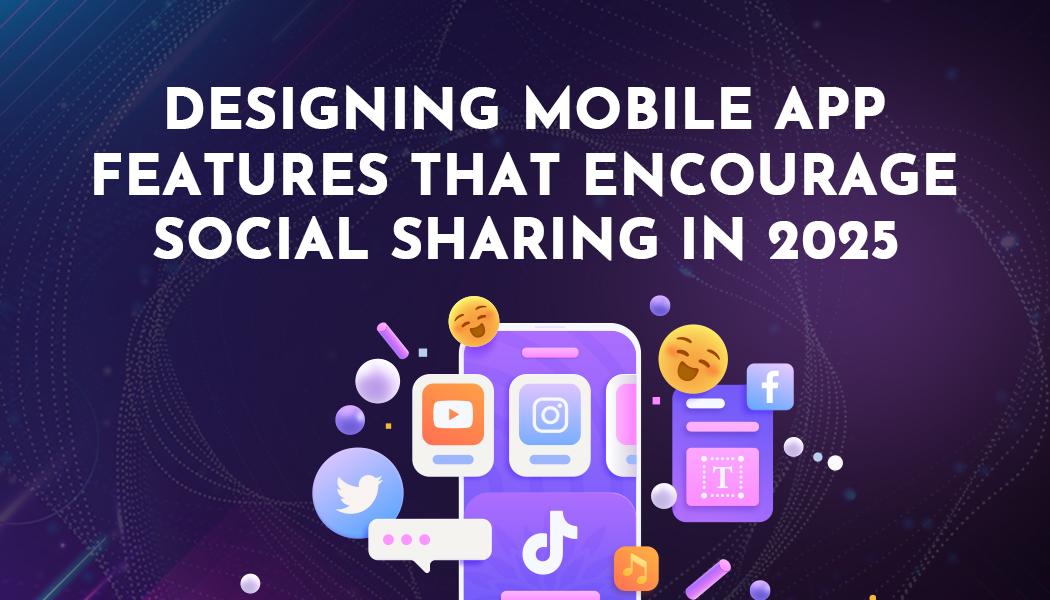
Designing Mobile App Features That Encourage Social Sharing in 2025
People spend their time messaging, browsing content online, and posting content to social networks - and if they don't include your app in their day-to-day conversations, then there's less chance of increased usage, and it becomes increasingly costly to advertise your app to new users.
Examples of Social Sharing Features would be: share buttons; storytelling features; screenshots; invitations; referral offers; shared milestones achieved through group activity, etc. This article will outline how to design intuitive, fun, simple-to-use, and most importantly, useful social sharing tools so your users will utilise them rather than simply skip them.
The Importance of Social Sharing Features for Mobile App Growth
Social sharing tools are much more than merely getting likes or views on social networks; in fact, by 2025, social sharing will serve as one of the main drivers of how apps are able to build user trust and retain users long-term.
Sharing is Simply Built-In Marketing for Users
Every person already using your app has friends, family, or coworkers who could join as new users when sharing fits how they use your product, and with Snaphappen helping you boost social media visibility, that growth becomes even easier.
- This simple cycle of growth occurs like this:
- Discover a moment of success within the application (i.e., successfully beating a level).
- The App provides a friendly and straightforward way for the user to share that experience.
The user's friends will then view the shared moment, click on the link, and several will go ahead and install the application; eventually, they will become users and share their successful moments.
Why People Actually Share Apps and Content With Friends
People do not think about waking up every day about how to boost this app's MAU. Instead, people share for reasons related to other people.
- Help a friend overcome an obstacle; help a friend achieve something.
- Demonstrate intelligence, sense of humour, or knowledge.
- Share accomplishment; achievement.
- Join a community of like-minded people; join a current trend.
- Join others in the practice of something together.
Consider a language application allowing users to share an achieved 30-day streak badge. While the primary motivation behind this behaviour is not simply providing the app with free word-of-mouth advertising, it does provide users with a feeling of pride and a gentle nudge forward, encouraging other learners "to join them on the same journey".
Know Your Users and Moments Before Designing Social Sharing
To effectively implement Button functionality in your app, first identify who your target audience is, what they value, and when they'd be most likely to want to share with others.
Identify Who Your Users Want to Share With and Why
Create a brief list containing the following information: The Audience person would send it to, the Reason why they are sharing, as well as the Tone of Voice for each Audience person (Friendly [close friend], Formal [business], etc.).
Map Key Moments in the App That Feel Worth Sharing
Real emotions are vital when encouraging sharing with the app’s user base. Identify moments of high pride, relief, surprise, or curiosity from participants using the App's user data. High emotion moments will generate the right motivation for sharing, significantly can include:
- A successful completed hard level.
- A successful completion of a long-term target.
- A successful completion of a money goal.
- Completion of a skill and/or passing of a quiz.
- Creating visually attractive and/or valuable items.
To identify your app’s most significant moments, analyse your app’s analytics data for spikes in time spent using the app. In addition, you can directly ask users via short surveys, "What do you feel most proud of when using the app?" By overlapping user data and users' feelings, you can identify productive social sharing opportunities.
Design Social Sharing Features Users Actually Want to Tap
The best way to share something on a social network is to make it easy, straightforward, and respectful to the user.
One-Tap Sharing at the Moment of Success
Don't bury the Share button behind three screens; put it right where the user is experiencing it. This way, they can click on it immediately after they complete their task.
It is also essential to provide the user with explicit labels instead of relying solely on icons. Users should not have to guess what a small arrow icon means. In addition to providing a way for your users to "skip" or say "Not Now", be sure to provide these options without any guilt-producing messages.
Keep the Share Flow Fast, Lightweight, and Mobile Friendly
A successful share action should mimic the idea of taking a fast side step away from your main activity rather than taking a long detour away from it. So, the ideal pathway is as follows:
- Tap the "Share" button
- Select a channel (a predetermined short list or the channel system view)
- Edit your content, if required
- Immediately return to the application
Use Rewards and Game Mechanics to Encourage Sharing, Not Force It
Incentives work well when they feel fair and honest. They should support the behavior users already want, not twist their arm into spamming friends.
When properly designed, incentives create fairness in motivation. By creating an incentive program that encourages users to promote products or services, instead of forcing them to act, an organization can help guide their behavior.
Characteristics of an Effective Referral Program:
- Customers receive value from both the referral and the reward.
- The referral system is easy to understand and, therefore, creates a lower barrier to entry for participants.
- The program can be explained in 1-2 sentences.
Use Streaks, Challenges, and Leaderboards With Care
When employed thoughtfully, game mechanics are able to help facilitate social sharing.
Streaks and challenges lend themselves well to Na's daily study plans, fitness/fat loss goals, and savings/habit change.
While adding leaderboard functionality can motivate certain users, it can generate undue stress or unhealthy pressure on some users. Implement limiters, mute buttons, and a private option for users who don't want a public ranking. Frame group challenges as meeting mutual goals (e.g., overall weight loss), rather than just competition for overall rank.
Celebrate Group Wins and Shared Milestones in the App
You probably share a good number of happy moments with other people (group). Below are some examples:
- A study group that meets weekly for an hour or more deployed a weekly hour goal.
- A small team that completes a shared list (checklist) of items on their list.
- A family that reaches its savings goal for a vacation.
Respect Privacy, Consent, and Platform Rules in Social Sharing
Trust must be built over time for growth to occur; however, when Sharing Tools create unexpected outcomes for a User or cause leakage of User Information, this causes Trust to be lost. You don't necessarily require Legal Language.
Be Honest About What Gets Shared and With Whom
Nothing should be concealed in any way from anyone who receives something.
Use simple terms such as:
- "We will share this photo of you - and your first name."
- "Your scores will be made visible to your friends in this group."
- "This link allows access to your public profile only."
Give Users Simple Privacy Controls and Opt Outs
By assisting all users in setting up their privacy preferences, we can better facilitate the information they share and how they want to be contacted.
Control Options For Users:
- Allow users to disable all social media feeds in the settings menu
- Users should be able to opt out of displaying on the leader board.
- All users' stats should be private by default, with an easy way to make them available to guests.
- Users should have the ability to revoke sharing permission for each of their channels.
Test, Measure, and Improve Your Social Sharing Features
Social sharing is not "set it and forget it." User habits change. Platforms change. Your app changes.
Track the Right Metrics for Social Sharing Success
When it comes to social sharing, it should never be treated as "set & forget". As people's habits change, so do your app and the platforms you publish on.
- Number of share button taps/sessions
- Number of completed shares
- Number of clicks on shared URLs
- Total installs/sign-ups made as a result of being invited, through shared URLs
- Number of return visits generated by referred friends
- Number of reviews/support tickets mentioning sharing
Run Small Experiments With Copy, Design, and Timing
Significant redesigns are not needed. Smaller-scale experiments can produce big results.
A/B testing ideas include:
- Using different text variants for a button - "Share with friends" vs. "Invite a friend".
- Having different styles of visual design on the share card.
- Testing when to show the share prompt after an interaction with success.
Conclusion
The best social-sharing experience within mobile applications starts with an authentic user's emotional experience and a user's genuine need for it. If you are able to create an authentic experience by aligning genuine user emotions with honest copy and imagery and simple-to-use controls, your happy users will become organic advocates of your application. Over time, the collection of these small-scale experiences accumulates within an application. Users who are proud to share their application are more likely to use it regularly, while users who are embarrassed to use your application may limit their exposure to the application to others. It is this kind of growth loop that continues to provide growth opportunities.