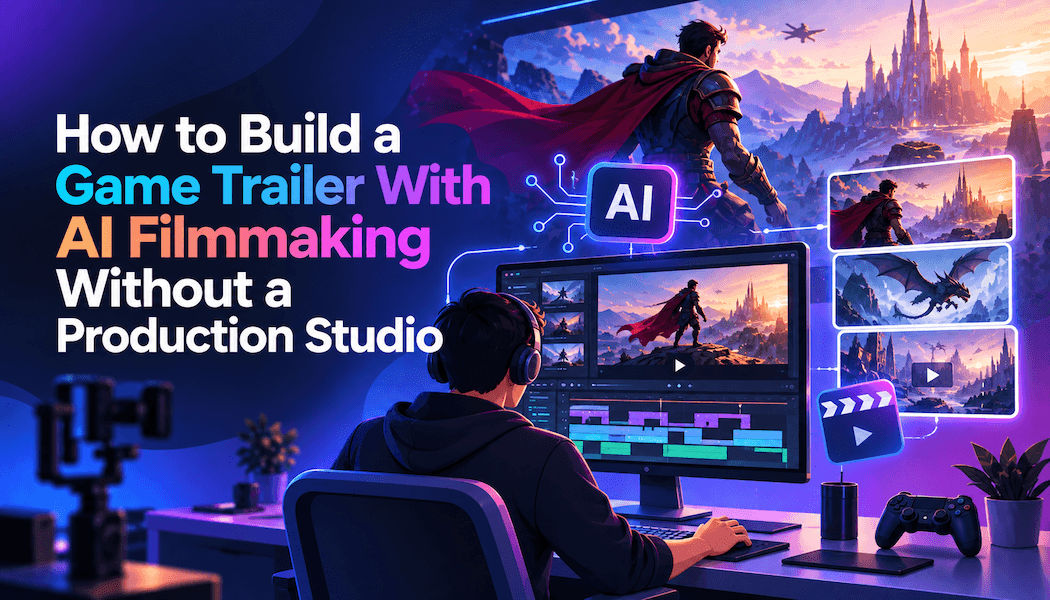
How to Build a Game Trailer With AI Filmmaking Without a Production Studio
A game trailer is a short promotional film that sells a game's world, characters, and stakes before anyone plays it. A production studio traditionally handles the casting, the sets, the action shots, and the edit. Small teams often lack the budget for that crew.
Invideo Agent is a collaborator for AI filmmaking that remembers a project's characters, locations, and look across every shot. That memory is what lets a small team hold a trailer together. This guide walks through the full workflow, from game bible to finished cut.
It also lists the mistakes that make generated trailers look inconsistent. An FAQ at the end answers questions about gameplay footage, character consistency, and cost.
What does a game trailer need before you generate anything?
A game trailer needs a clear promise, a small cast, and a few strong locations. Decide the promise in one sentence first. It might be "a lone knight defends a dying kingdom."
Gather the source material next. Useful inputs include the game bible, key art, character concepts, a logo, and real gameplay capture.
Choose the trailer type before you start. A cinematic trailer uses generated shots only. A hybrid trailer mixes cinematic shots with real gameplay.
How does the agent turn a game bible into a trailer plan?
Invideo Agent keeps a project-wide memory of characters, locations, and style across shots, scenes, and sessions. The AI filmmaking page describes a production bible, where every shot is generated and checked against the same locked reference.
Upload the game bible and key art to a new project. The agent reads them and extracts the look, the tone, and the rules of the world.
That shared context belongs to the whole game. Each trailer becomes a smaller brief inside it. A launch trailer and a teaser can then share one world without re-uploading anything.
What are the steps to build a game trailer with an AI agent?
Seven steps take you from an uploaded game bible to a finished trailer and its social cutdowns.
Step 1: Write the trailer promise and upload the game bible
State the promise in one sentence and attach it to the project. Upload the bible, concept sketches, and key art with a note on what each file is for.
A short label on each upload says what the agent should learn from it. Files with no label tend to give average results.
Step 2: Cast the heroes and villains
Use the Casting workflow. It reads the bible, identifies every character, and builds a face for each one. It then builds full character sheets.
The agent also works out which costumes are needed. It can attach a voice to each character in the project.
Keep the sheets simple. A clear face, four profile angles, and a height reference work best. Cluttered sheets tend to cause facial drift.
Step 3: Build the world
Use the Production Design workflow for environments. It applies the same breakdown logic as casting.
Lock the two or three locations the trailer needs. Every later shot then draws on the same sets.
Step 4: Storyboard the trailer
Feed the script into the Storyboards workflow. Pick a style, either ultra-realistic or sketch.
The agent breaks the script into shots. It returns boards in the trailer's real aspect ratio.
Review every board before any video is generated. Upfront spend estimates mean credits go only to shots you have approved.
Step 5: Generate the action shots
Hand-drawn sketches solve the hardest shots. Fights and other multi-character contact are a known weak point for video models. A rough sketch gives the model spatial information, and it does not need to be polished.
Daisy-chain shots by having each one reference the one before it. Last-frame continuation extends a shot past a single model's clip length.
The agent routes each shot to a suitable model from a library of more than 200. You brief the shot and approve the result.
Step 6: Mix in gameplay and finish in Slate
Upload real gameplay capture next to the generated shots. Hybrid production matches every generated shot to the grade of that footage. The trailer then cuts together as one film.
Slate is the timeline inside invideo Agent. It keeps the AI filmmaking work, the gameplay, and the music in one project.
Ask Slate for a lineup to see the approved shots in order. Drag in the logo and a font file for the title card. Say "the music is too high here, pull the volume down" to fix the mix.
Step 7: Check continuity and cut teasers
Drop the rough cut into the agent chat. The agent reads the whole video and maps it against the shot list. It flags continuity errors, such as a color that clashes with the grade.
Then use the Reframing workflow to convert 16:9 video to 9:16 for social teasers. The Localization workflow adapts on-screen text for other markets.
Some teams polish the final cut in a separate browser timeline. An online video editor needs nothing installed and exports up to 4K, sized for every platform in one go.
What mistakes make AI-generated game trailers look inconsistent?
Using cluttered character sheets. Busy sheets cause facial drift between shots. Stay with a clear face, four profile angles, and a height reference.
Skipping a spatial guide for fights. Multi-character contact fails without spatial information. Add a rough sketch of the positions.
Generating before the boards are approved. Video costs more credits than stills. Approve the storyboard first.
Building the trailer from generated shots alone. Cinematic shots can drift from what the game actually plays like. Real gameplay capture keeps the promise honest.
Letting the agent decide the story. The agent handles execution. The story and the final call on every shot remain yours.
Frequently asked questions
Can AI filmmaking replace a game trailer studio?
It replaces much of the execution work, not the direction. The agent handles generation, continuity, and assembly. You still supply the story and sign off on every shot.
Can I combine real gameplay with generated cinematic shots?
Yes. Upload the gameplay capture to the project. Generated shots are matched to its grade, so the two cut together cleanly.
Can I finish a game trailer in an online video editor?
Yes. An online video editor such as invideo Editor runs in the browser with nothing to install. It offers color wheels, curves, and LUTs, plus a multitrack mixer that ducks music under speech. Reviewers can comment on the exact moment they mean.
The free plan includes the full editor. Free exports carry a watermark.
How much does a trailer cost to make this way?
Invideo published one data point: a two-minute brand promo built in three days for about $1,500. The same comparison set that against $100,000 to $500,000 for a traditional production. A brand film is not a game trailer, so shot count and revisions will move your number.
What does a monthly plan cost?
The Starter plan is the entry point for AI filmmaking with invideo Agent, at $20/month. The Max 3x plan sits at the top, at $375/month. Regional pricing differs.