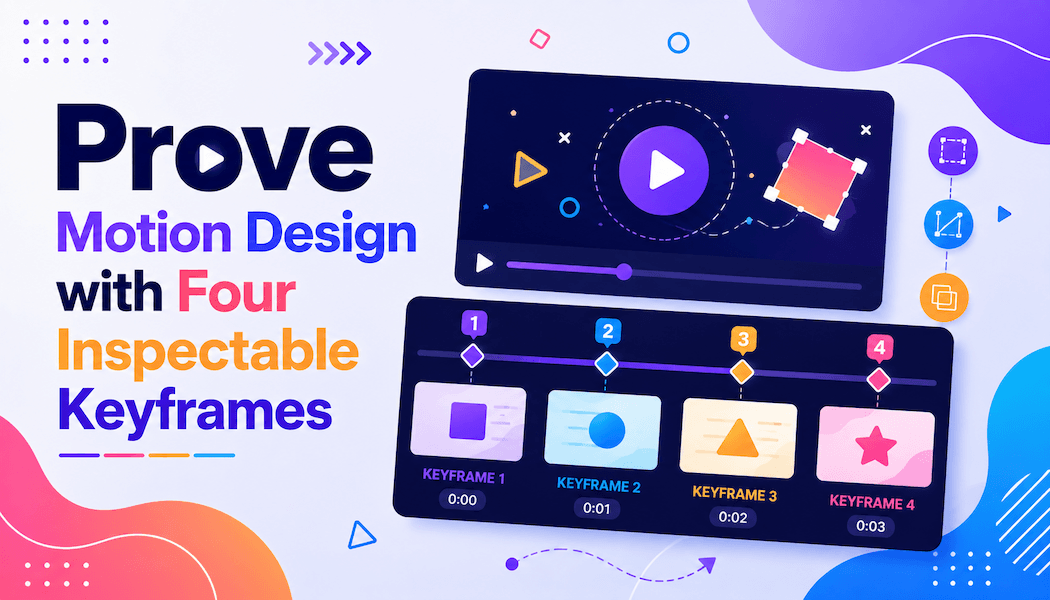
Prove Motion Design with Four Inspectable Keyframes
A smooth transition can hide weak design decisions. A panel stretches into the next scene, color carries the eye, and the sequence feels polished at full speed. Pause it at the wrong moment, though, and the hierarchy collapses or an element loses its identity.
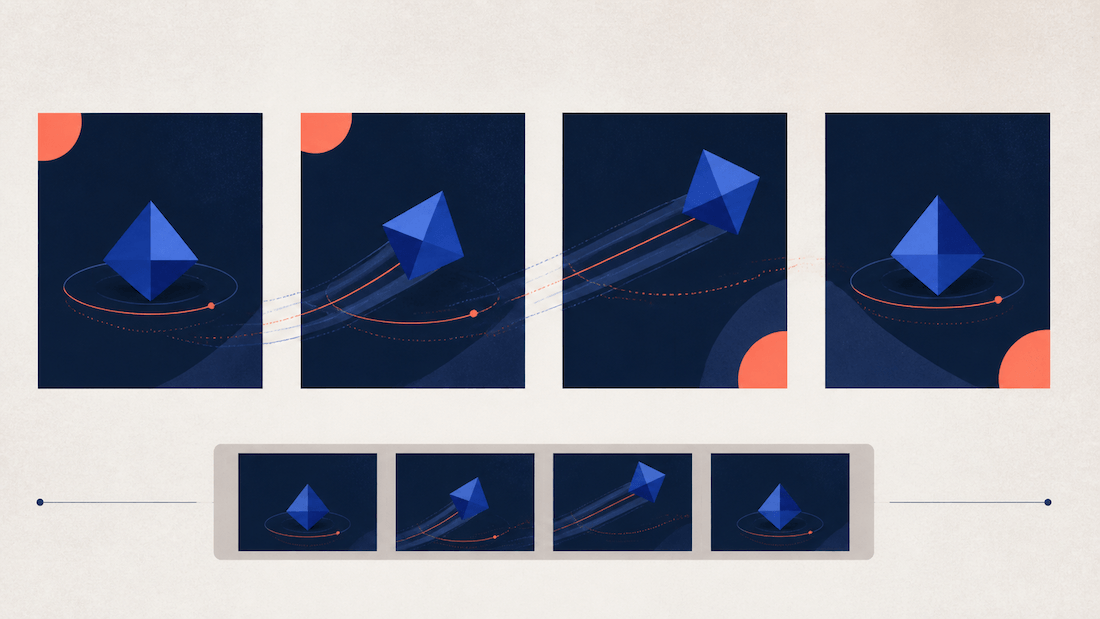
Motion-design review needs stable evidence before it needs spectacle. Four inspectable stops—the opening state, commitment point, changed state, and settled state—show whether the design communicates through the transition rather than merely moving. They also give jurors and clients a shared way to discuss a clip.
Define Four States Before Animating Any Transition
Write one function for each stop. The opening state establishes the object and hierarchy. The commitment point is the last moment before the change becomes irreversible. The changed state makes the new relationship legible. The settled state proves that the composition still works after motion ends.
Give Each Stop One Visual Question
Ask “what is primary?” at the opening, “what action has begun?” at commitment, “what is different?” at change, and “where should the eye rest?” at settlement. A stop fails when the answer depends on having watched the preceding frames.
Capture the states as stills at the intended delivery ratio. Do not select the four prettiest frames after rendering. That reverses the logic and rewards whatever the transition happened to produce.
Protect Geometry That Carries the Design Identity
Mark the shapes, proportions, type areas, and spatial relations that identify the design. A logo container, product silhouette, navigation order, or character feature may move, but it should not mutate accidentally. Record which changes are intentional and which are protected.
Add tolerance where exact position is not the goal. A circle may travel freely while its diameter and color role stay fixed. A card may scale within a range while its corner radius and icon proportions remain protected. Tolerances prevent reviewers from rejecting purposeful motion while still exposing identity drift.
Give every protected element a neutral label in the review sheet. “Primary blue card” is more useful than “the nice box,” and it avoids relying on a filename or prompt that other reviewers cannot see. Use the same labels in the brief, captures, and verdicts.
| Stop | Required proof | Reject when |
| Opening | Subject and hierarchy are clear | Motion is needed to identify them |
| Commitment | Direction of change is visible | Action could reverse without notice |
| Changed | New relationship reads alone | Object identity drifts |
| Settled | Final composition holds | Elements stop in a weak arrangement |
Prepare Source Frames for a Bounded Motion Pass
Build clean opening and settled frames from approved design files. Remove confidential annotations and keep a versioned source. If the transition must preserve a specific object, use a reference image where that object is already clear rather than asking a prompt to reconstruct it from a description.
Write Every Movement as an Observable Change
Describe direction, subject action, camera behavior, and the details that should remain stable. “The card moves upward while the camera stays fixed; keep the icon shape, background grid, and empty type area unchanged” is reviewable. “Make it dynamic” is not.
Keep verified copy outside the generated frames when exact wording matters. Blank type regions can receive live text later. This avoids judging a transition through plausible-looking letters that were never part of the approved design.
State what should happen before what. If the icon changes after the panel settles, write that sequence. Simultaneous instructions often produce motion that is visually busy but impossible to diagnose. A short ordered brief also gives the commitment point a clear location.
Choose One Transition Problem for Each Candidate
Do not combine a camera move, material change, layout transformation, and character action in the first candidate. One bounded change exposes which instruction caused a continuity failure and makes a second pass easier to compare.
Decide whether the candidate is testing movement, timing, or style. A movement test can use neutral timing and the approved look. A timing test should reuse the same path. A style test should begin only after the path and states are stable. Otherwise every version answers a different question.
MakeShot.ai provides text-to-video and image-to-video routes through a browser workspace with several available model choices. An AI Video Generator can turn the prepared source and motion brief into a candidate, but the four stops remain the approval standard.
Inspect Continuity at Stops and Between Stops
Play the result once at normal speed without scoring it. Then capture the closest frame to each planned stop. Place generated captures beside the approved stills at equal size and record match, intentional change, collateral change, or unclear.
Check the Commitment Point Before Judging Smoothness
The commitment point reveals whether the transition has a readable direction. If the object begins to deform before the viewer understands where it is going, the sequence feels slippery even when the settled frame is attractive. Reject or shorten the ambiguous interval.
Trace the center of important objects across the sequence. Sudden jumps, reversals, or scale pulses often disappear at full speed. Motion blur should support direction, not conceal a broken path.
Inspect occlusion at the same point. An object passing behind another should reappear with the same shape and role. If a layer disappears permanently or returns as a different object, the transition has changed the design's inventory rather than merely its arrangement.
Run a Pause and Thumbnail Test
Pause at regular intervals and inspect silhouettes, alignment, color roles, and empty text zones. Then view the four stops as small thumbnails. Each should communicate its function without borrowing clarity from interpolation.
Run the test at the intended frame rate and after the platform's expected compression. A clean master can develop banding, muddy edges, or a flash when encoded. Those are delivery failures even if the source motion remains correct.
Compare sound-off and sound-on versions separately. Audio can make a weak commitment point feel decisive by adding a hit or sweep. The visual state should remain understandable without that cue; then sound can reinforce the decision rather than supplying it.
Ask a reviewer who did not see the brief to order the four frames and explain the change. A correct order with clear reasons is stronger evidence than a general rating. A wrong order reveals that the states do not carry enough directional information on their own.
A second AI Video Generator pass is justified only when the failed stop and protected details are named. Do not generate a gallery of alternatives and let surface polish replace the continuity diagnosis.
Submit the Clip with Its Four-Frame Proof
Export the motion candidate, four-frame contact sheet, source frames, brief, and stop verdicts together. Add final copy and audio only after the visual states pass, then repeat the delivery-size review because compression and cropping can weaken a settled composition.
Keep the MakeShot.ai version identifier in that package and record which source frame and instruction produced it. If a later client note asks for a slower settle, the editor can return to the accepted path instead of regenerating the entire design from memory.
MakeShot.ai belongs in the candidate's production note, while the contact sheet explains why the design was accepted. A motion submission becomes easier to judge when reviewers can stop at the same four places, name the same failure, and verify that every transition arrives at a frame worth keeping.