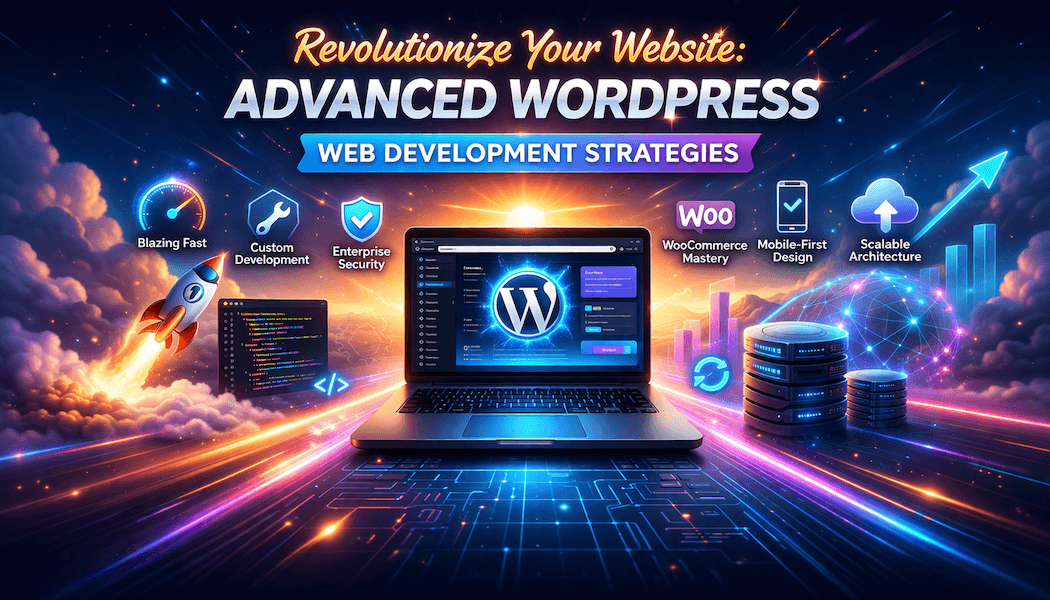
Revolutionize Your Website: Advanced WordPress Web Development Strategies
Why advanced WordPress matters in 2026
Modern users expect fast, secure, and highly personalized websites, not just basic blogs or brochure sites. WordPress Web Development remains the backbone of over 40% of all websites, but the gap between “average” and “advanced” WordPress implementations is wider than ever. To truly revolutionize your website, you need to move beyond drag‑and‑drop themes and generic plugins and adopt advanced development strategies that enhance performance, scalability, and user experience.
Build with a solid architecture
Start with a clean, well‑structured codebase. Instead of hacking a random theme, use a lightweight parent theme or a starter framework (for example, Underscores, Genesis, or a custom theme built around the WordPress Template Hierarchy). Proper template organization, clear hooks and filters, and consistent naming conventions make your site easier to maintain, update, and extend.
On the backend, leverage custom post types and taxonomies to model your content logically (Products, Projects, Events, Courses, etc.), while avoiding dumping everything into post meta. Structured content relationships also play well with modern SEO and schema, helping search engines understand your site’s hierarchy.
Optimize performance at multiple levels
Speed is no longer optional; it directly impacts SEO, conversions, and Core Web Vitals. Start with a solid hosting stack (managed WordPress hosting or a carefully configured VPS with opcode caching, Redis, or Memcached). Enable server‑side caching, object caching, and a CDN so your homepage and inner pages load in under one second.
On the CMS side, choose lightweight plugins, avoid “plugin bloat,” and replace generic tools with custom mini‑plugins tailored to your exact needs. Combine this with modern image optimization (WebP/AVIF, lazy loading, and smart cropping) and code‑level optimizations such as deferred JavaScript loading and critical CSS inlining.
Master the REST API and decoupling
The WordPress REST API lets you build headless or hybrid setups where WordPress powers the content but a custom frontend (React, Vue, Next.js, or even static‑site generators) handles the presentation. This approach is ideal for high‑traffic sites, complex dashboards, or marketing portals that need blazing‑fast frontends.
For more traditional sites, you can still use the REST API internally—building custom endpoints to fetch dynamic content, submit forms, or integrate third‑party services without full page reloads. Couple this with Gutenberg block patterns and reusable blocks to create a consistent, modular editing experience for your content team.
Design for security and scalability
Security should be baked into the architecture, not added as an afterthought. Use a web‑application firewall (WAF), enforce strong authentication (2FA, secure passwords), and keep WordPress core, themes, and plugins updated with automated patching where possible. Also, implement strict file‑permissions, limit login attempts, and disable unnecessary XML‑RPC and REST‑API endpoints if they’re not needed.
From a scalability standpoint, plan for traffic spikes by leveraging object caching, database optimization, and asynchronous tasks. If your site is expected to grow into a multi‑regional or multi‑brand platform, consider multisite or headless architectures with a shared content repository.
Integrate AI and automation intelligently
Artificial intelligence is now reshaping WordPress development and content workflows. AI‑powered tools can generate layouts, suggest CTAs, and even propose content structures before you start designing, cutting down initial setup time. Some builders can spin up a nearly complete site in minutes, which you then refine and extend manually.
Beyond design, AI can help optimize SEO, rewrite meta descriptions, suggest internal links, and personalize content banners based on user behavior. However, always maintain human oversight; use AI as a copilot, not a replacement for strategic UX and editorial decisions.
Craft a conversion‑driven developer mindset
Advanced WordPress development isn’t only about code—it’s about aligning technology with business goals. Build pages with clear user journeys in mind, A/B test critical components (buttons, forms, layouts), and instrument your site with analytics from day one.
Use headless components sparingly to enhance sections that need extra interactivity (calculators, configurators, live dashboards) while keeping the rest of the site performant and crawlable. The result is a website that feels modern, responsive, and fast, yet still easy for your team to manage through the WordPress admin.